Fortigate VM

Per a tots aquells que no lo conozcáis va este post, presentarons el virtual appliance de Fortinet, el firewall Fortigate-VM, en format machine virtual nos proporcionarà todas las avantatges de tener el firewall Fortigate virtualizado en la nostra red (alta disponibilitat, FW entre redes, backup/réplica…) Eso sí, solo para entornos VMware vSphere!
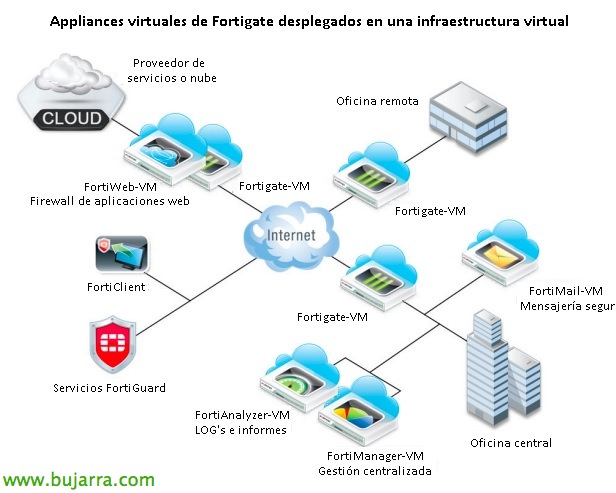
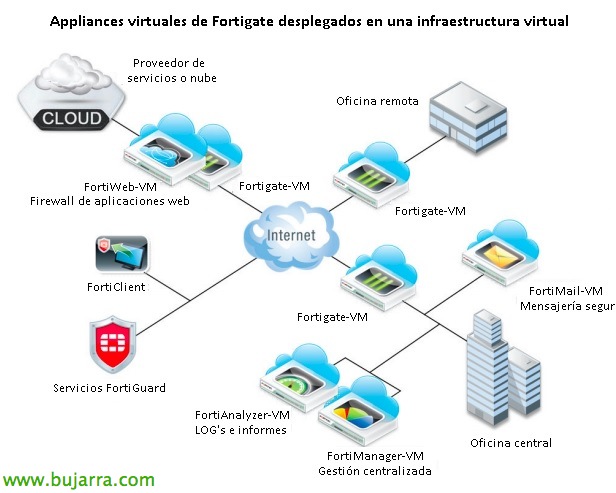
Este seria un esquema tipo en una infraestructura virtual con los productos virtuales de Fortinet:
– Fortigate-VM: Appliance virtual de firewall.
– FortiWeb-VM: Appliance virtual de firewall de aplicaciones web.
– FortiClient: Cliente AV/VPN/AntiSPAM/AntiSpyware…
– FortiMail-VM: Appliance virtual de securización contra correo no deseado, virus…
– FortiAnalyzer-VM: Appliance virtual para anàlisi de LOG's y generación de informes.
– FortiManager-VM: Appliance virtual para la gestió centralitzada de productes Fortinet.

Nos descargamos el appliance en format OVF de la web de descargas de firmware de Fortinet: ftp://support.fortinet.com/FortiGate, elegiremos la versión, MR y nivel de parche que nos interese. Lo importamos en nuestra infraestructura virtual como de costumbre,
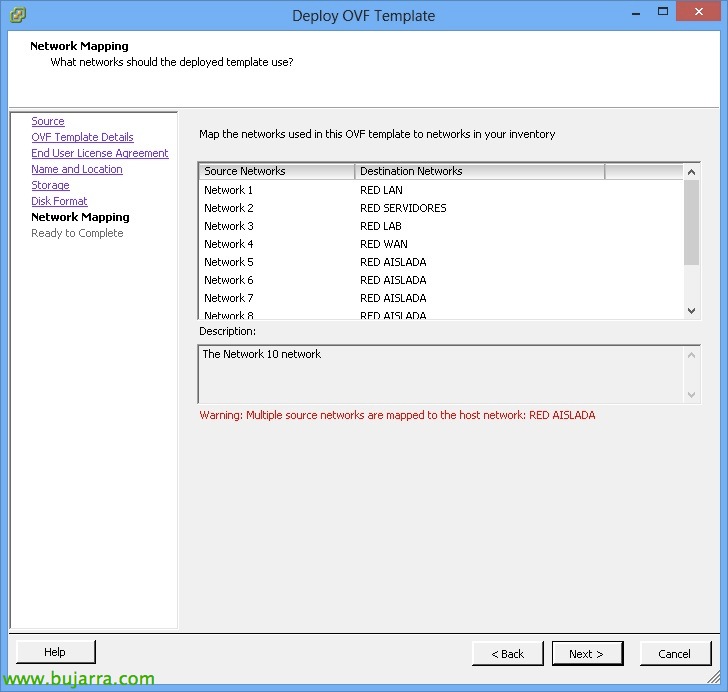
A la hora de importarlo, podremos seleccionar las 10 assign network cards and associate them with the different VMware virtual networks, later we can remove unused NICs, as well as add more if necessary. same with the rest of the virtual hardware (mínim 2 vCPU, maximum 8vCPU, minimum 512Mb of RAM and maximum 3Gb of RAM). Depending on the MV we download, we will have 14 días de prueba (amb 5 maximum rules!).

We turn on the virtual machine, and enter as admin without a password.

We will configure the Fortigate via console, or at least assign an IP address to configure and manage it via web.
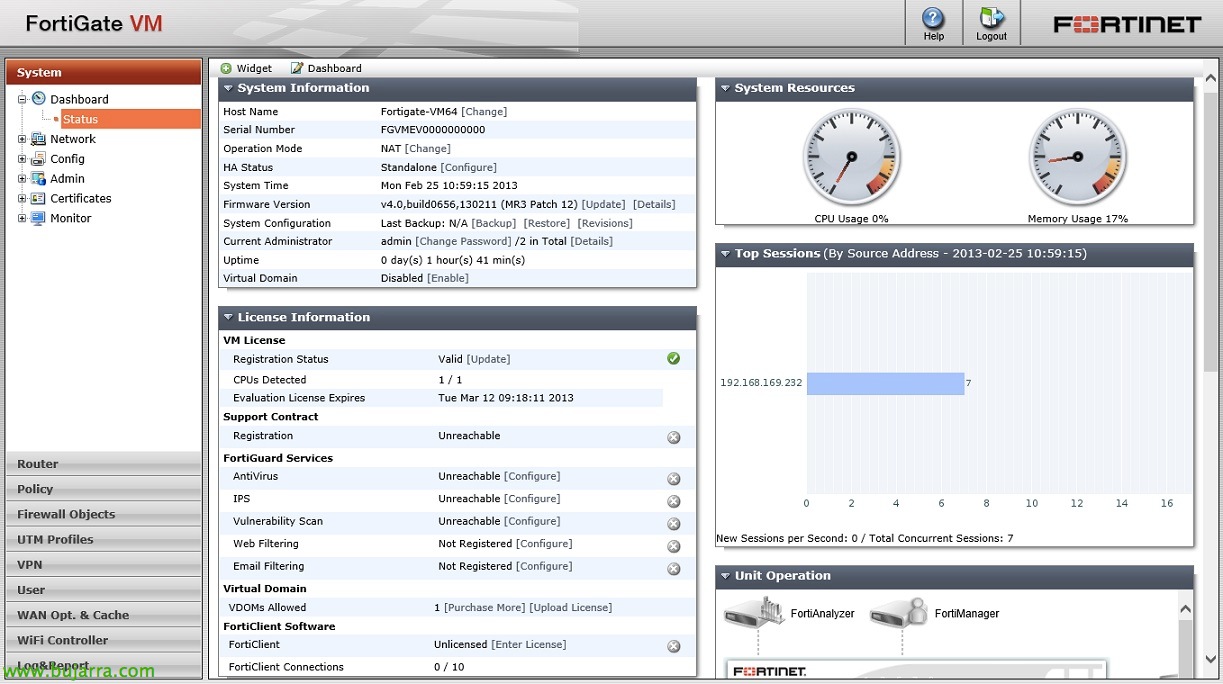
This would be the web presentation, like any other firewall!