Your own IT News

Something that may be interesting to an IT department is to be up to date on what is happening around us, Getting news from our world, that are interesting to know, such as security bulletins, or to know when a manufacturer of ours has published a new version, patch… of any product we use…
Well, Well, for this and other things that we will see, we will use an RSS reader, It's that simple, But let's get it right, and beautiful :-). We can deploy in one minute, a Docker container where we have a web-based news reader and aggregator (RSS/Atom) Free and open source, In this document we will use Tiny Tiny RSS, which is very light, Simple and complete.
But it will not only be a news portal where we can access manually via the web or with an app on our mobiles, if not, we can configure it to send us an email with the daily summary of the news, For example, When we arrive in the morning we have an email with important cybersecurity news, or if we have any patches that we should apply…
And, Does the content? Subscriptions? Well, as you can imagine, In quotes it is something personal, it will depend on what you want to be aware of, For example, you can subscribe to ad lists, Cyber Early Warning, or learn about the latest attacks on Spanish companies, or what I said, Subscribe to your manufacturers' download sites, and when they publish a new version on their website, You know it.
To quickly deploy the Tiny Tiny RSS containers, we will have to have a Linux machine ready beforehand, e.g. Ubuntu Server, with Docker and Docker Compose installed; Apart from the usual, that the machine has a name, IP Addressing, NTP… In my case I create a folder called 'tinytinyrss’ where we will leave a couple of files, el primero el que lleva la configuración llamado ‘.env’ y os dejo aquí su contenido, obtenido de la documentación oficial, debéis establecer al menos la contraseña del usuario ‘admin’:
# Put any local modifications here.

# Run FPM under this UID/GID.
# OWNER_UID=1000
# OWNER_GID=1000

# FPM settings.
#PHP_WORKER_MAX_CHILDREN=5 #PHP_WORKER_MEMORY_LIMIT=256M

# ADMIN_USER_* settings are applied on every startup.

# Set admin user password to this value. If not set, random password will be generated on startup, look for it in the 'app' container logs.
ADMIN_USER_PASS=CONTRASEÑA_DE_ADMIN

# Sets admin user access level to this value. Valid values:
# -2 - forbidden to login
# -1 - readonly
#  0 - default user
# 10 - admin #ADMIN_USER_ACCESS_LEVEL=

# Auto create another user (in addition to built-in admin) unless it already exists.
#AUTO_CREATE_USER=
#AUTO_CREATE_USER_PASS=
#AUTO_CREATE_USER_ACCESS_LEVEL=0

# Default database credentials.
TTRSS_DB_USER=postgres
TTRSS_DB_NAME=postgres
TTRSS_DB_PASS=password

# You will likely need to set this to the correct value - it should point to external tt-rss URL as seen in your browser.
TTRSS_SELF_URL_PATH=http://example.com/tt-rss

# You can customize other config.php defines by setting overrides here. See tt-rss/.docker/app/Dockerfile for complete list. Examples:

# TTRSS_PLUGINS=auth_remote
# TTRSS_SINGLE_USER_MODE=true
# TTRSS_SESSION_COOKIE_LIFETIME=2592000
# TTRSS_FORCE_ARTICLE_PURGE=30
# ...

# Bind exposed port to 127.0.0.1 to run behind reverse proxy on the same host. If you plan expose the container, remove "127.0.0.1:".
#HTTP_PORT=127.0.0.1:8280
HTTP_PORT=8280
Así mismo crearemos el fichero ‘docker-compose.yml’ con la configuración de los contenedores:
version: '3'  services:
  db:
    image: Postgres:15-alpine
    restart: unless-stopped
    env_file:
      - .env
    environment:
      - POSTGRES_USER=${TTRSS_DB_USER}
      - POSTGRES_PASSWORD=${TTRSS_DB_PASS}
      - POSTGRES_DB=${TTRSS_DB_NAME}
    Volumes:
      - db:/var/lib/postgresql/data

  app:
    image: cthulhoo/ttrss-fpm-pgsql-static:latest
    restart: unless-stopped
    env_file:
      - .env
    volumes:
      - App:/var/www/html
      - ./config.d:/opt/tt-rss/config.d:ro
    depends_on:
      - db

#  optional, makes weekly backups of your install
#  backups:
#    image: cthulhoo/ttrss-fpm-pgsql-static:latest
#    Restart: unless-stopped
#    env_file:
#      - .env
#    Volumes:
#      - backups:/backups
#      - App:/var/www/html
#    depends_on:
#      - db
#    command: /opt/tt-rss/dcron.sh -f

  updater:
    image: cthulhoo/ttrss-fpm-pgsql-static:latest
    restart: unless-stopped
    env_file:
      - .env
    volumes:
      - App:/var/www/html
      - ./config.d:/opt/tt-rss/config.d:ro
    depends_on:
      - app
    command: /opt/tt-rss/updater.sh

  web-nginx:
    image: cthulhoo/ttrss-web-nginx:latest
    restart: unless-stopped
    env_file:
      - .env
    ports:
      - ${HTTP_PORT}:80
    Volumes:
      - App:/var/www/html:ro
    depends_on:
      - app

volumes:
  db:
  App:
  backups:
And, tras guardar ambos ficheros ya podemos descargar las imágenes y desplegar los contenedores ejecutando:
sudo docker compose up -d
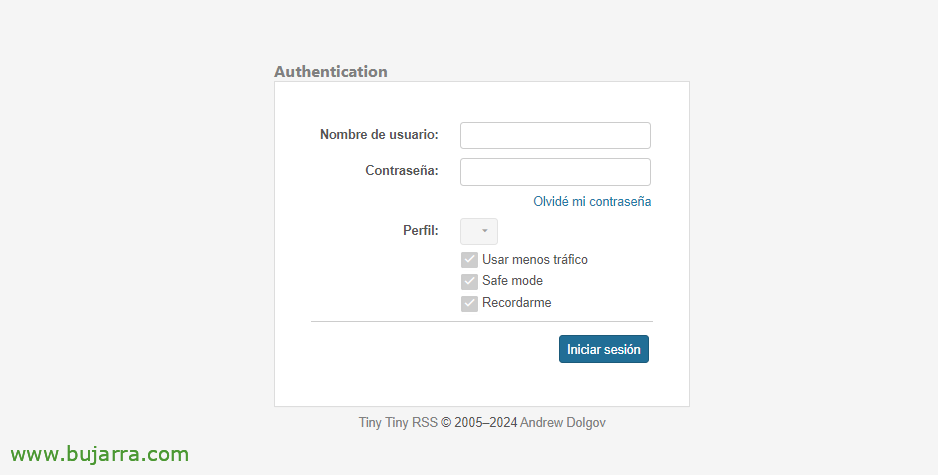
Y ya podremos acceder con un navegador por HTTP al puerto que indicamos en el fichero de configuración, por defecto el 8280tcp. Entraremos con el usuario ‘admin’ y la contraseña igualmente establecida en el fichero de configuración.
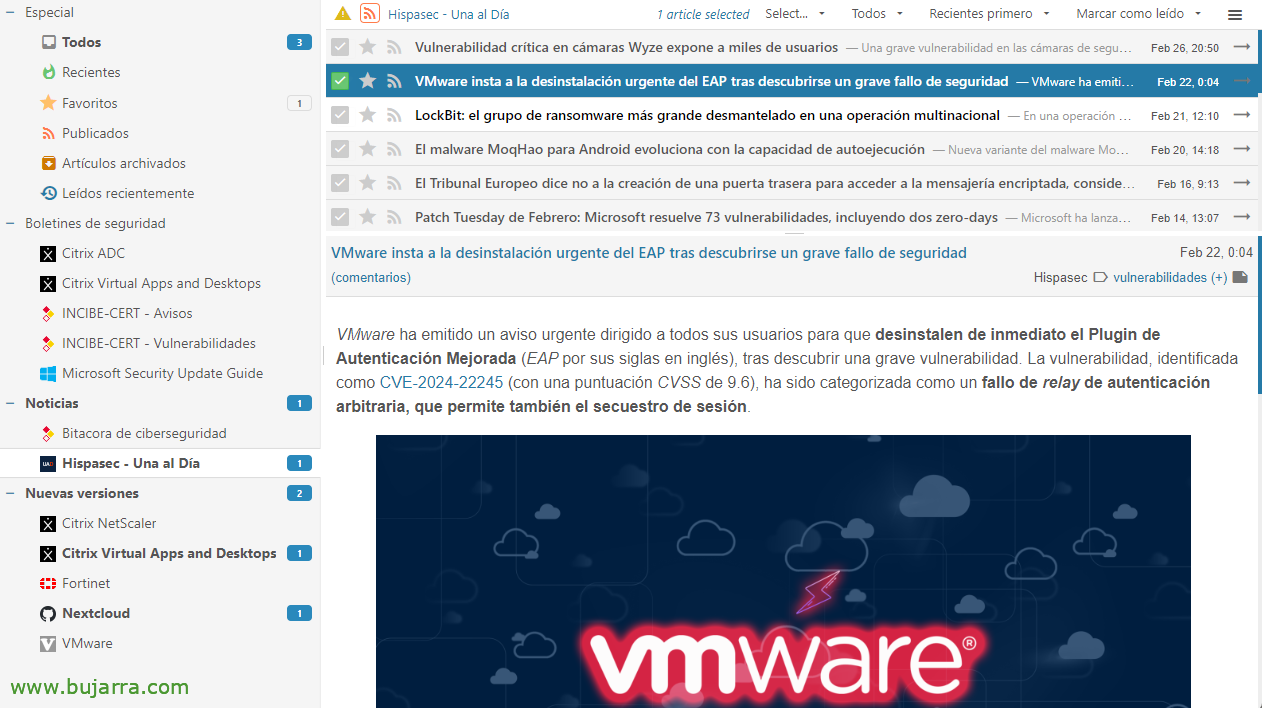
Veréis que a aplicación no tiene mucho misterio, su uso es muy sencillo, arriba a la derecha podremos entrar a las preferencias y crear directorios para organizarnos, así como para añadir sitios, bien por su URL o sus RSS, no nos preocuparemos ya que se añadirá perfectamente la web de la que queremos tener noticias cuando publiquen algo, se le pondrá su icono…
Y algo así quedaría por ejemplo las noticias de Una al día de Hispasec, también por supuesto os recomiendo las listas de INCIBE, that of Notices, la de su Cybersecurity Log o si queréis la de Vulnerabilities… O también las del Centro Criptológico Nacional o CCN-CERT, we have Notices, Alerts and Vulnerabilities inter alia. Cuantas menos, mejor 😉
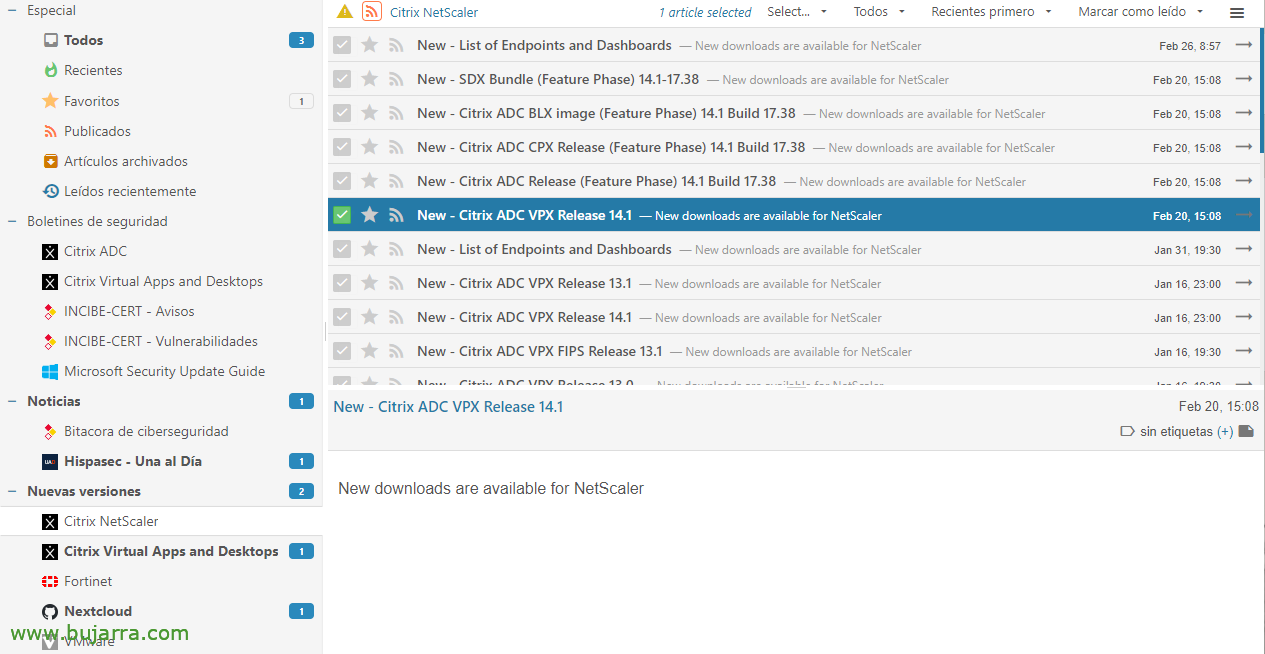
O por ejemplo lo dicho, podemos usarla para suscribirnos a nuestros fabricantes, y que cuando saquen una nueva versión de un producto que usemos lo sepamos, o un parche, update… Bastará con ir a la web del fabricante, buscar la URL o el RSS de la web donde suela publicarlos, y añadirla a nuestro Tiny Tiny RSS (en las Fuentes).
Se puede compartir la misma instancia de Tiny Tiny RSS para tener un usuario genérico y compartirlo con el resto del equipo, o cada uno podrá tener su propio usuario de acceso y sus propias suscripciones.
 |
 |
 |
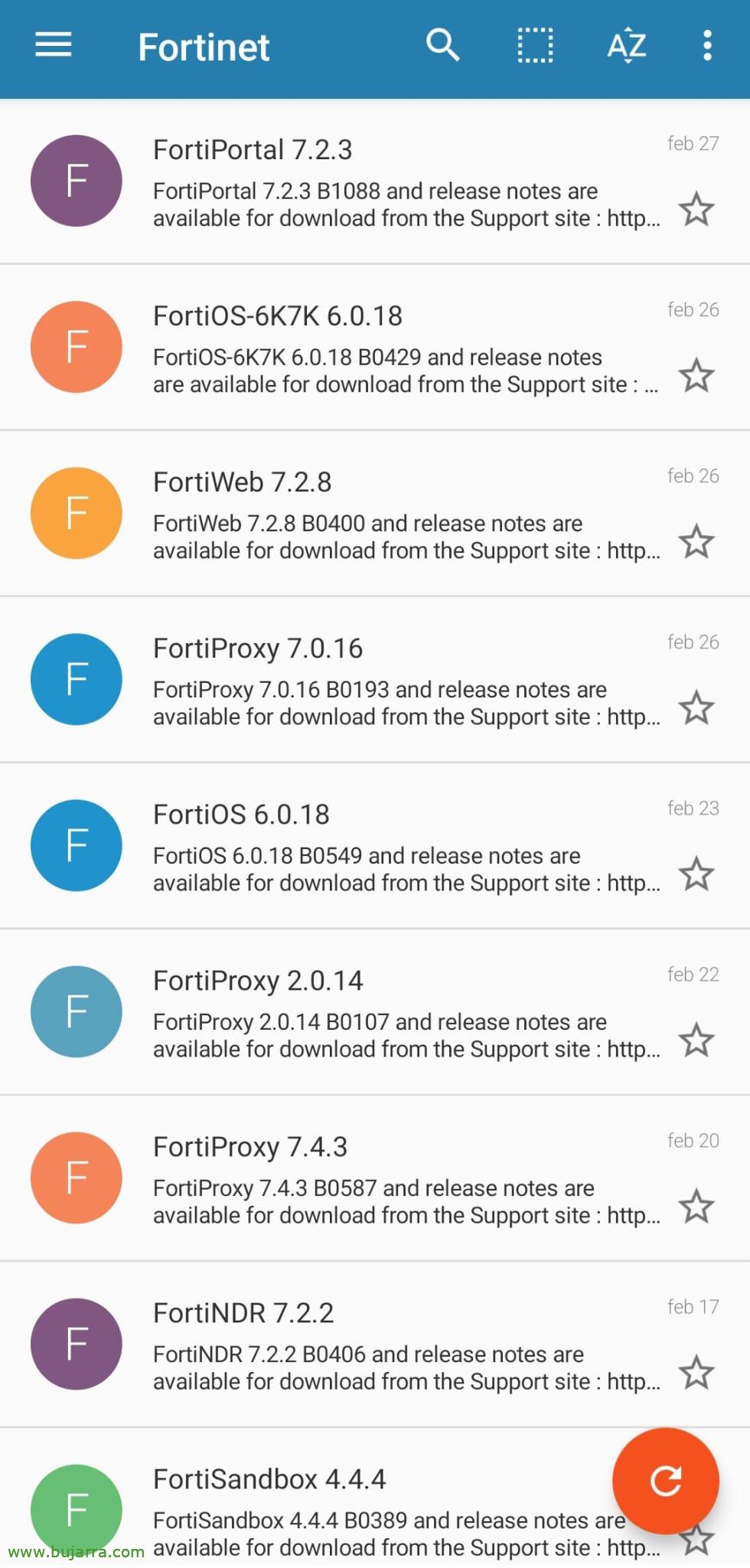 |
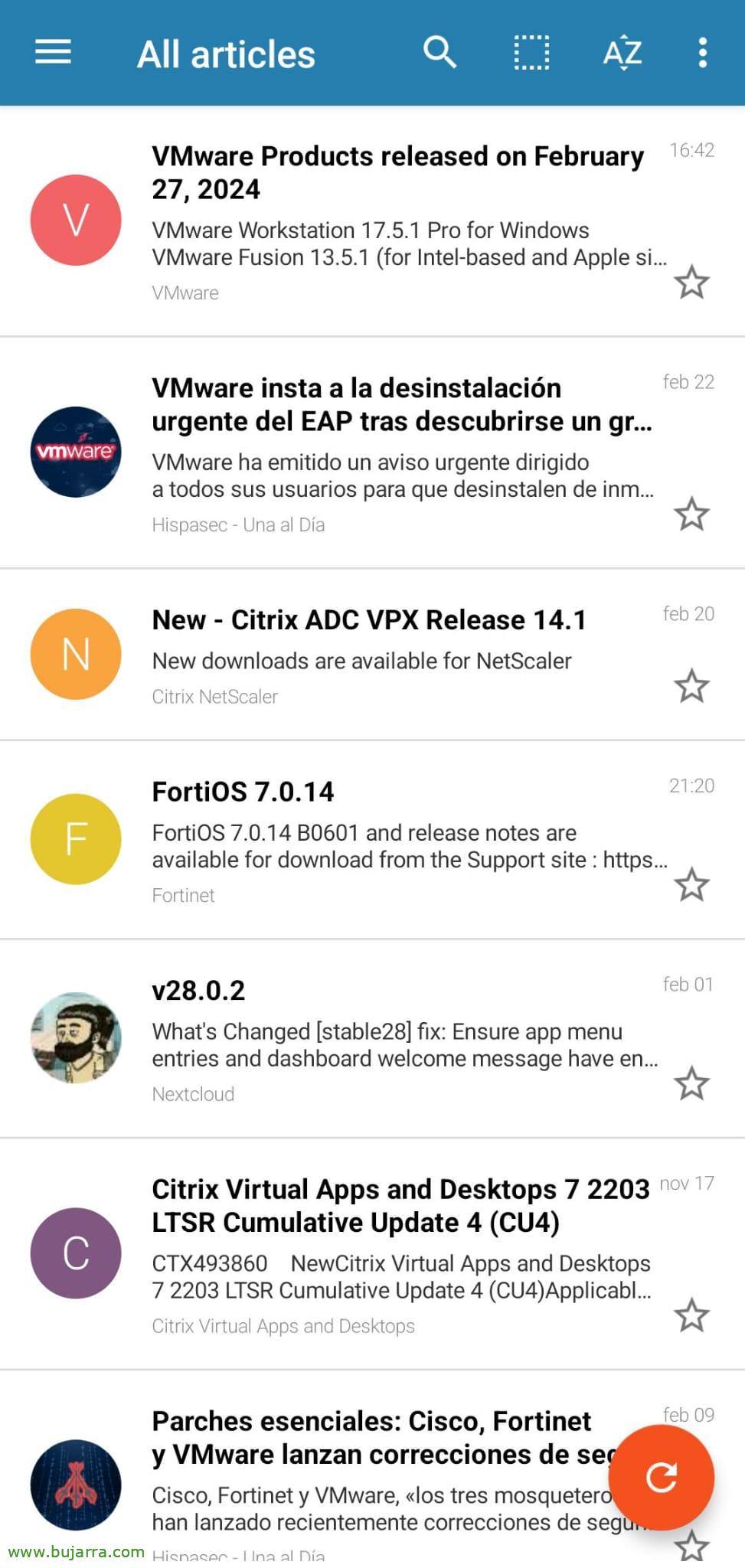
Y tenéis varios clientes RSS en los Stores de vuestros móviles, yo uso en Android la app original. Os dejo unos pantallazos de cómo se verían las distintas vistas,
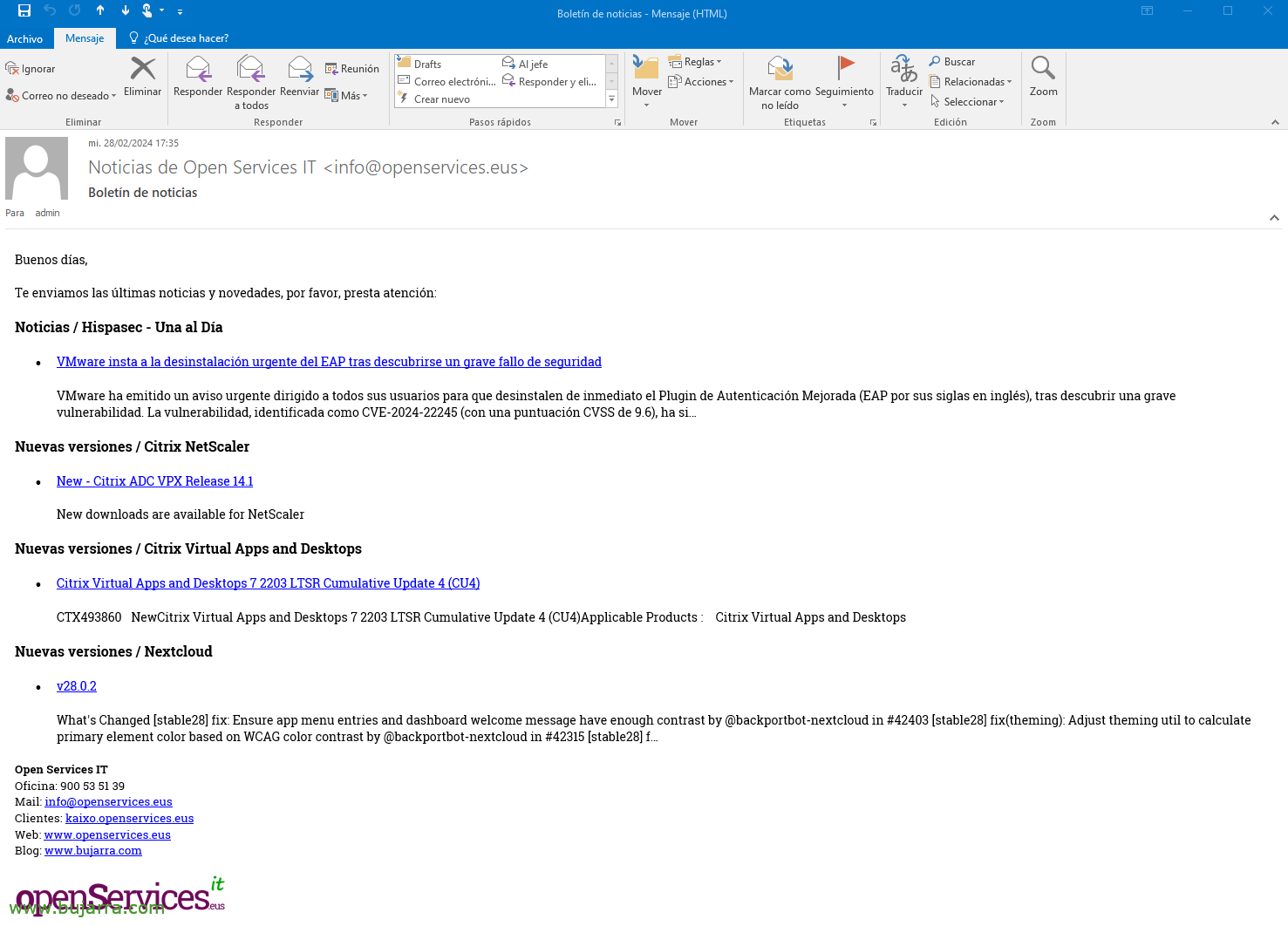
And, (For me) lo mejor de todo esto… es que no es necesario estar pendiente de acceder al sitio web para estar informado. Si no que lo comentado, se puede recibir un mail diario con el resumen, de lo que tu escojas y como veis totalmente personalizable, corporate…
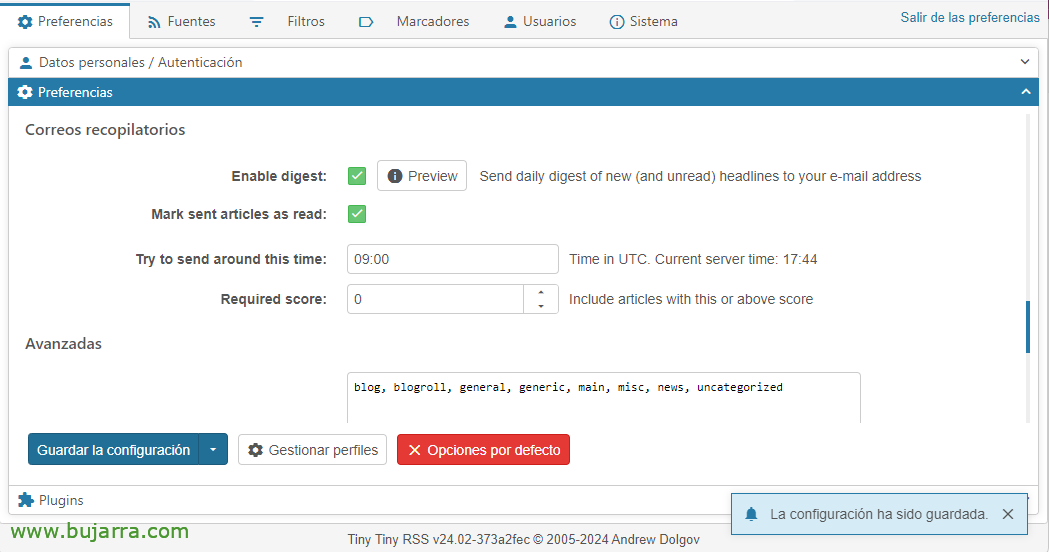
To do this,, bastará con ir a las Preferencias de Tiny Tiny RSS en los Correos recopilatorios marcar ‘Enable digest’ e indicamos la hora aproximada en UTC para recibirlos.
Para que funcione el envío SMTP en Tiny Tiny RSS deberemos descargarnos un Plugin y darnos permisos, lo haremos ejecutando algo como esto:
git clone https://git.tt-rss.org/fox/ttrss-mailer-smtp.git /var/lib/docker/volumes/tinytinyrss_app/_data/tt-rss/plugins.local/mailer_smtp
chown USUARIO_LINUX: /var/lib/docker/volumes/tinytinyrss_app/_data/tt-rss/plugins.local/mailer_smtp/ -R
Para configurar el SMTP, bastará con añadir a nuestro fichero ‘.env’ estas configuraciones:
TTRSS_PLUGINS=mailer_smtp,auth_internal,nginx_xaccel,note
TTRSS_SMTP_FROM_NAME='NOMBRE DEL REMITENTE'
TTRSS_SMTP_FROM_ADDRESS=CO**************@*****IO. ESO
TTRSS_SMTP_SERVER=SERVIDOR_SMTP:587
TTRSS_SMTP_LOGIN=US*****@*****IO. ESO
TTRSS_SMTP_PASSWORD=CONTRASEÑA
TTRSS_SMTP_SECURE=tls
TTRSS_SMTP_SKIP_CERT_CHECKS=yes
TTRSS_DIGEST_SUBJECT='ASUNTO DEL CORREO'
And nothing, regeneramos los contenedores con los cambios realizados, aunque me pongo a pensar y quizá con reiniciar el contenedor valdría, total, What:
sudo docker compose up -d
Si queréis cambiar la plantilla del correo, para hacerlo customizado, tendréis que editar el fichero /home/usuario/tinytinyrss/digest_template_html.txt, vaya o donde hayáis creado la carpeta de ‘tinytinyrss’, y con código HTML lo tendremos en un periquete:
<!-- $BeginBlock digest -->
<p style='font-family:Roboto Slab; font-size:14px'>Good días,</p>
<p style='font-family:Roboto Slab; font-size:14px'>We send you the úlatest news and updates, Please, pay attention:</p>
<!-- $BeginBlock feed -->
<b><p style='font-family:Roboto Slab'>${FEED_TITLE}</p></b>
<ul>
<!-- $BeginBlock article -->
<li style='font-family:Roboto Slab; font-size:14px'><a href="${ARTICLE_LINK}">${ARTICLE_TITLE}</a>
<div><em>${ARTICLE_LABELS}</em></div>
<div>${ARTICLE_EXCERPT}</div>
<!-- $EndBlock article -->
</ul>
<!-- $EndBlock feed -->
<p>And here you put your signature</p>
<!-- $EndBlock digest -->
Well, Cool? Now we have no excuse not to stay up to date with everything happening around us, on the latest cybersecurity news, from our reference IT sites (like this blog 😉 😉 ), when the product of the moment has an update… As usual, is mixing things, giving ideas and possibilities to improve our organization in our departments, as usual, may you be happy and live happily ever after!