Citrix Receiver with ShareFile

El pasado mes de Octubre, Citrix adquirió la compañía ShareFile con objeto de ofrecer un nuevo servicio al intercambio de archivos. De forma segura podremos desde cualquier dispositivo compartir, sincronizar y acceder a los ficheros que almacenemos en la nube. En este documento veremos la versión recientemente publicada en Tech Preview,

Lo que tendremos que hacer es instalarnos el pequeño cliente de ShareFile para Receiver llamado: Citrix ShareFile plug-in for Citrix Receiver, está disponible para cualquier versión de Windows, Mac OS X, ios, Android o BlackBerry. Lo bajamos de la web de MyCitrix. We accept the agreement & “Install” Getting Started,

… We wait while it is installed…

And “Finish”,

Unicamente necesitaremos una cuenta de ShareFile que podremos crearla desde el link ‘Sign up for trial’. Posteriormente nos logueamos con él en la aplicación.

We select the path to store the ShareFile data & “Next”,

And that's it! We just need to add the files we want to keep synchronized between our devices.

In the Windows File Explorer, the left sidebar will show a link to our data directory.

From a Mac, we will see the app in the same way, we will have an icon in the menu bar to synchronize the information or open the directory.

Same as in Windows,
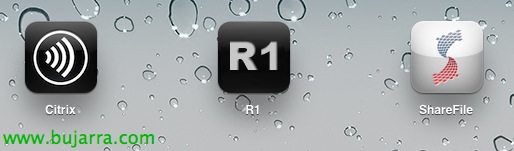
If we have an iPad/iPhone we can download the following apps:
Citrix Receiver: To connect to our Citrix XenApp/XenDesktop sites from outside quickly and securely.
R1: Integrates ShareFile with Citrix Receiver in one app.
ShareFile: Only the app to synchronize and access our files.

This would be a screenshot of the ShareFile view integrated with Citrix Receiver, where besides seeing the 'Applications’ that we have published, or desktops we will have the 'Docs’ that we will be able to access!!!