Create a Microsoft Windows Environment Domain 2003

Si queremos que en nuestra red haya un dominio, los pasos a seguir están en este documento explicados. To begin with, we need to be on an MS Windows 2000 or 2003 Server version, steps:

Para empezar se necesita que el servidor tenga dirección IP fija, para ello vamos a “Beginning” > “Control Panel” > “Conexiones de red” > Properties of “Local Area Connection”.
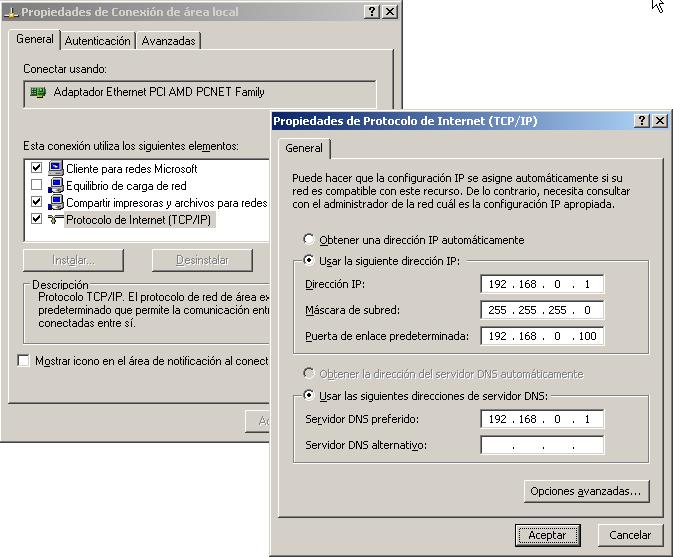
Establecemos una dirección IP fija, por ejemplo la 192.168.0.1, indicamos una mascara, A gateway (if applicable) y muy importante, establecemos un servidor DNS primario, que tiene que ser él mismo, si ahí teníamos alguno se podría poner cómo alternativo.

Después de asignar una dirección IP fija al servidor hay que instalar y sólo instalar el servicio DNS, se configurará una vez finalizado el procedimiento de creación de dominio, y es obligatorio hacerlo después (DNS Configuration Procedure – HERE). To install the DNS plugin: “Beginning” > “Control Panel” > “Add or Remove Programs” > “Add or Remove Windows Components”, We enter into “Network Services” and select “Domain Name System (DNS)”, We accept all the screens and finish.

Right after installing the DNS plugin we are going to “Beginning” > “Execute” and we type dcpromo for the creation of the domain, Accept.

Following.
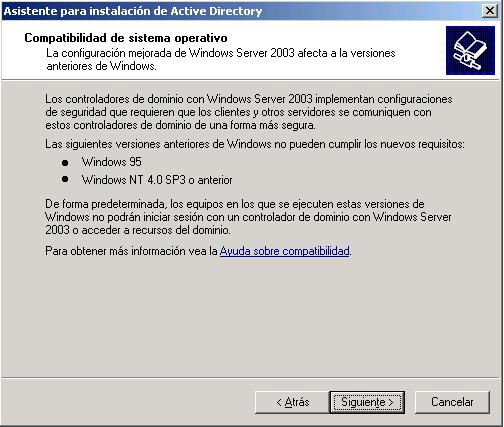
It warns us that if we have any PC with MS Windows 95 or earlier and any PC with MS Windows NT4 SP3 or earlier it would not work for us, We should update them or else they could not work in an MS Windows domain 2003, Following.

It asks us if we are going to join an existing domain (Explained HERE) or if we are going to create a new domain. The first option and Next.

La primera opción y siguiente,
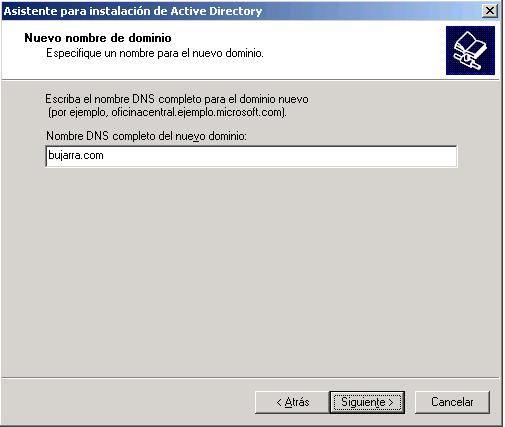
Seleccionamos el nombre que queremos asignar al dominio, y siempre le pondremos un dominio final, que sea .com, .Net, .local, .is, .loquesea… Si no tendremos problemas con el DNS y si agregamos más de un DC o CD (controlador de dominio o domain controler) habría que modificar el el registro de los puestos y de los servidores para que acepte dominios de etiqueta unica. Following.
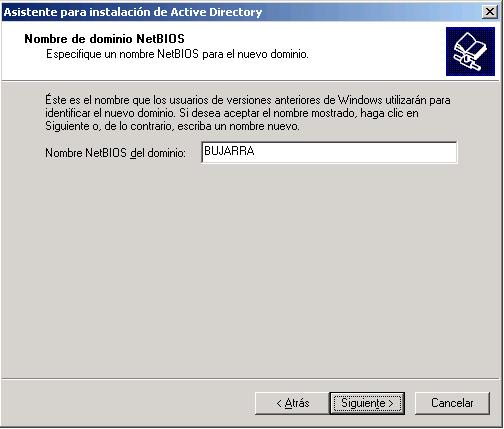
Nos pondrá el por defecto el nombre NETBIOS de nuesto dominio, Following.

Estas rutas es donde se guardaran las BD’s del DA.
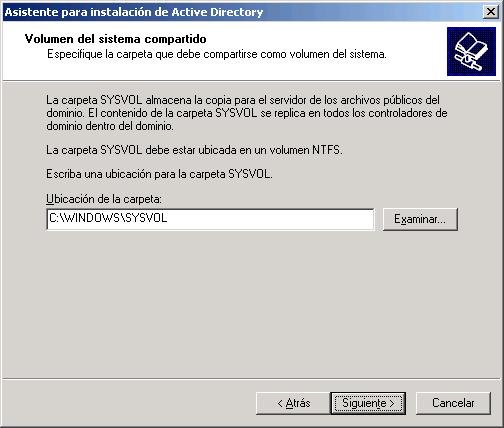
Location of the Sysvol. Following.
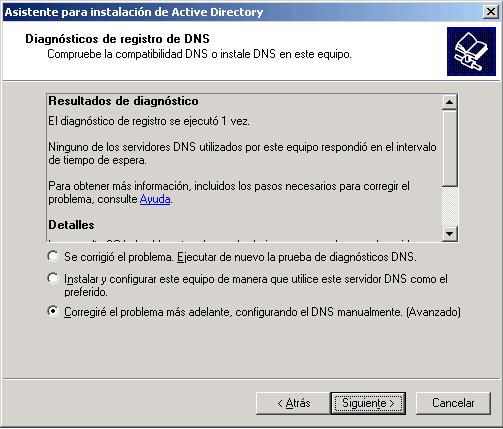
Este errorcillo nos indica que el servidor DNS no puede resolver el dominio bujarra.com, seleccionamos la última opcion, since once all this is finished we will manually configure the DNS.
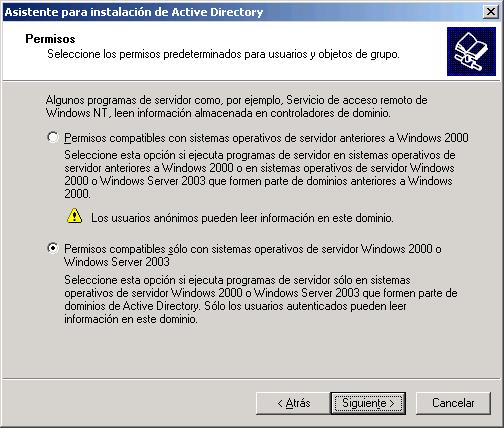
This question tells us if we are going to add any DC or CD ever that had an Operating System earlier than MS Windows 2000, if we are never going to add one, we select the second option, safer. Following.

In this field we will enter the password that it should ask us for when in the future we want to uninstall the DA from this computer or enter SD recovery mode..

Following.

We wait a few minutes…
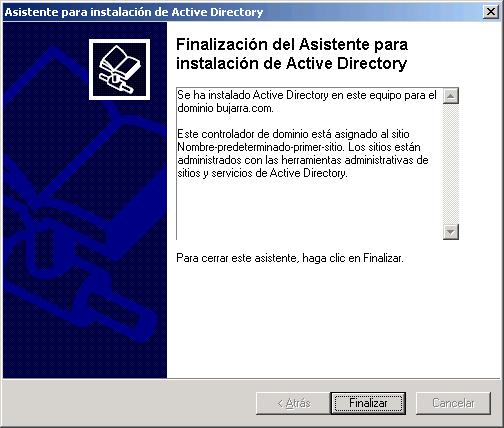
Finalized.
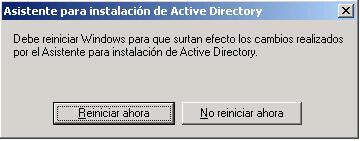
And now we restart the server, once done we configure the DNS and after that we will be able to add workstations to the domain and create users.