
Publishing a shortcut to Citrix XenApp

All of us who use Citrix XenApp to publish apps have come across an app that resists being published, either because it has characters that we can't enter in the path, or why it has a somewhat strange command line, This is for example more than two parameters and this is not supported. To solve this type of incident, We can take advantage of the shortcut left by the manufacturer of the application, since in a shortcut (.lnk) it can have any character or all the parameters that such an application has.
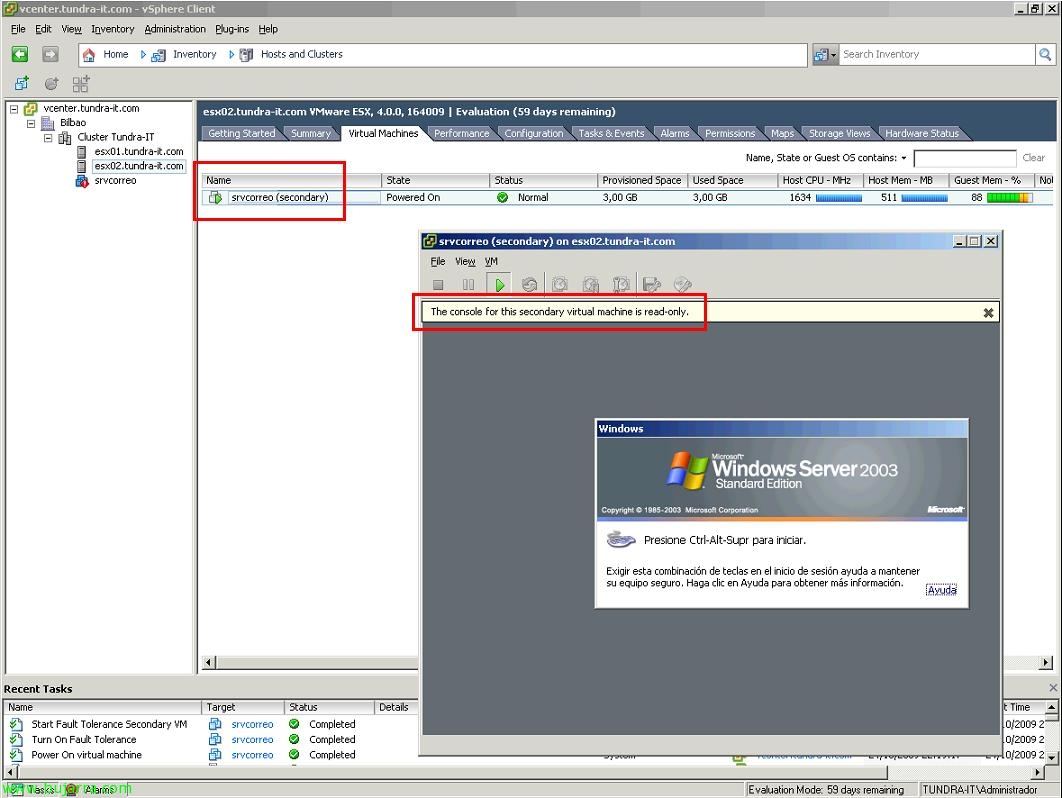
Using VMware FT

Another new feature of VMware vSphere 4 is the ability to use Fault Tolerance or FT. It is the ability to have real high availability, This is, with previous versions of VMware, we had DRS, that if a physical host went down, the virtual machines running on it, they run on another host, Foresaw a restart of the virtual machines. What VMware FT gives us is the possibility that virtual machines do not have to be restarted, and in case of ESX host crash with virtual machines, those that are protected with FT will continue to run on another host without loss of service.

Configuring Physical Appliances for Virtual Machines in VMware

One of the new features of VMware vSphere is the ability to give physical devices from hosts to virtual machines, This ensures that the driver of the virtual operating system, Directly access the physical device in question, The advantages of course is the increased performance of the device, as latencies are reduced. Latest version of VMware Tools required, it should also be taken into account that they can only be assigned 2 per virtual machine and 8 Per Host. And logically such a virtual machine will lose all the advantages of moving to other hosts, since we are assigning a physical device of a specific host. This is called VMDirectPath I/O.
