FAQ: Veeam Backup with Tape Backups

Like all of the ones we regularly use, Veeam Backup & Replication, We know that for now we can't save our backups to tape drives directly since Veeam works backups at the disk level. An alternative/idea is the one we can see in this document with the intention of taking our backups to tape,

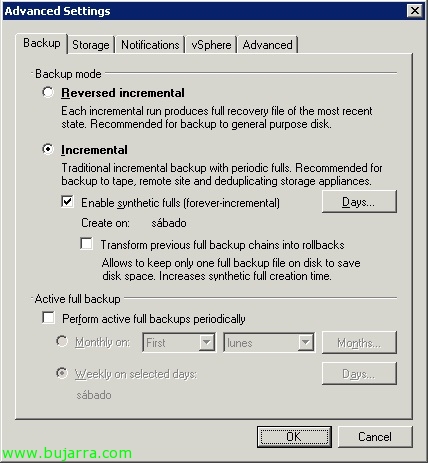
Para ello durante la configuración de una tarea de backup en Veeam, en las ‘Advanced Settings’, on the “Advanced”, podremos ejecutar una post tarea, podremos ejecutar cualquier script o llamada a programas de terceros.
Para Symantec Backup Exec: ‘”%ProgramFiles%SymantecBackup Execbemcmd.exe” -o1 -j”NOMBRE_TRABAJO_BACKUP_EXEC”‘.
Para utilizar con WbAdmin (backup de Windows 2008, 2008 R2…): wbadmin start backup -backupTarget:UNIDAD_TAPE -include:UNIDAD_BACKUP_VEEAM
Y por último para lanzar una tarea con NTBackup (versiones anteriores: 2003, 2003 R2…): ‘%WinDir%system32ntbackup.exe backup “@PATHNOMBRE_TRABAJO_NTBACKUP.bks” /n “ETIQUETA_DEL_MEDIO” /d “ETIQUETA_DE_LA_COPIA” /v:No /r:No /rs:No /hard carry:on /m normal /j “NOMBRE_TRABAJO_PROGRAMADO” /l:s /p “UNIDAD_CINTA”

Important, deberemos configurar en la pestaña “Backup” el típo de copia, que podrá ser incremental o ‘reverse’ (decremental), the first will be the traditional incremental backup in which we indicate some days to perform FULL backups and on the remaining days it will create 'small ones'’ files (recommended for tapes) and the other would be that the last backup performed is always FULL, converting the previous ones into incremental (recommended for disk, faster to recover).