PINsafe – Basic Setup 2

Continuing with the previous documents of the PINsafe appliance deployment or its installation in linux, We must make a series of configurations that will be more or less common in most installations, Later we will be able to integrate different services under this configuration.

Lo primero será cambiar el tipo de base de datos a internal, To this end, from: “Dabatase” > “General” > Poner la BD a ‘Internal’ & “Apply”.

Now, since “Mode” > “General” > Estableceremos el “Mode” a ‘Synchronized’ & “Apply”,

Vamos a definir por ahora un repositorio de usuarios locales XML, mas tarde crearemos otro para integrarlo con nuestros LDAP.
Since “Repository” > “Servers” > “New Entry” > Le establecemos un nombre XML y en tipo ‘XML’, “Apply”.

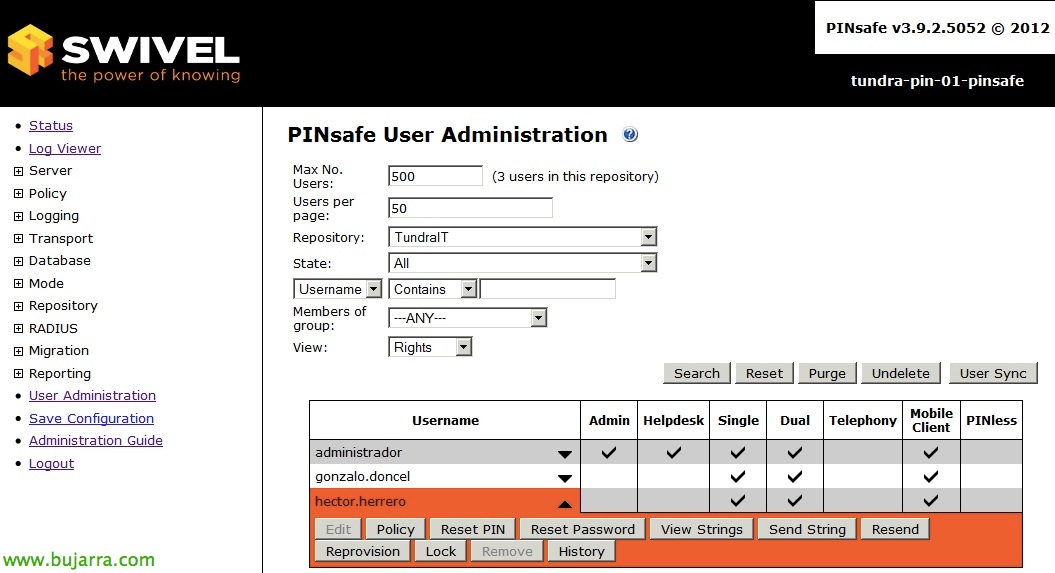
Ahora sincronizamos los usuarios de este repositorio local desde “User Administration”, by clicking on “User Sync”.

Confirmamos en “Status” que aparece lo que hemos configurado correctamente.
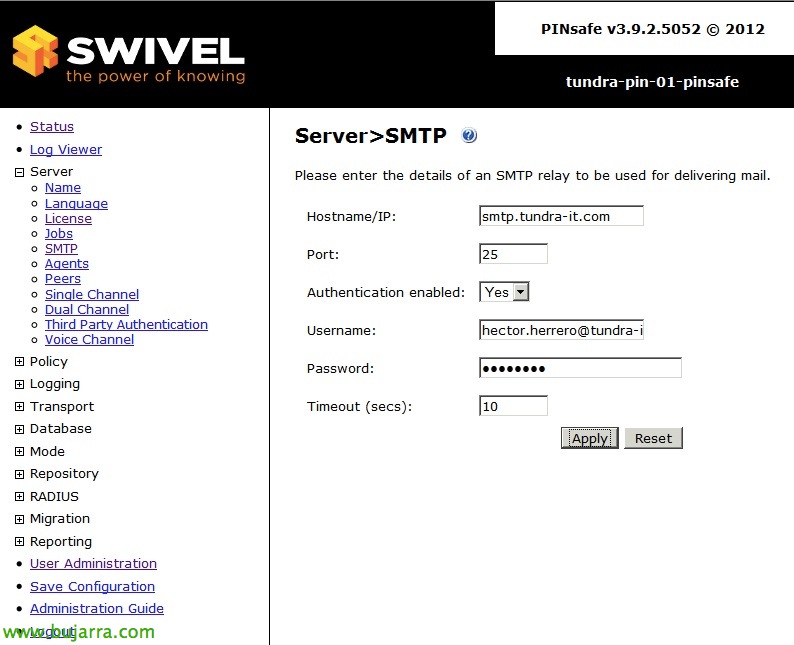
Configuramos los parámetros de correo electrónico desde “Server > “SMTP”, con esto realizaremos los avisos a los usuarios, que se les ha dado de alta, que se les ha asignado un PIN, cambiado, o directamente para el Dual Channel.

En nuestro Directorio Activo, daremos de alta un par de grupos, uno será para meter a los administradores de PINsafe y otro para los usuarios que queremos que lo utilicen, además metemos los usuarios que nos interese en cada grupo.
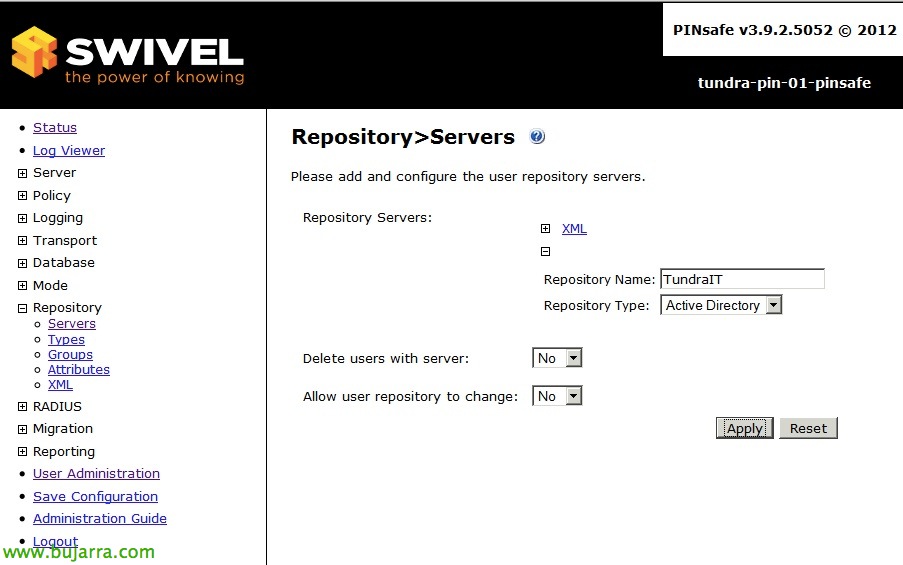
Creamos el repositorio de usuarios para nuestro AD desde “Repository” > “Servers” > “New Entry” de tipo Active Directory y le indicamos un nombre & “Apply”,
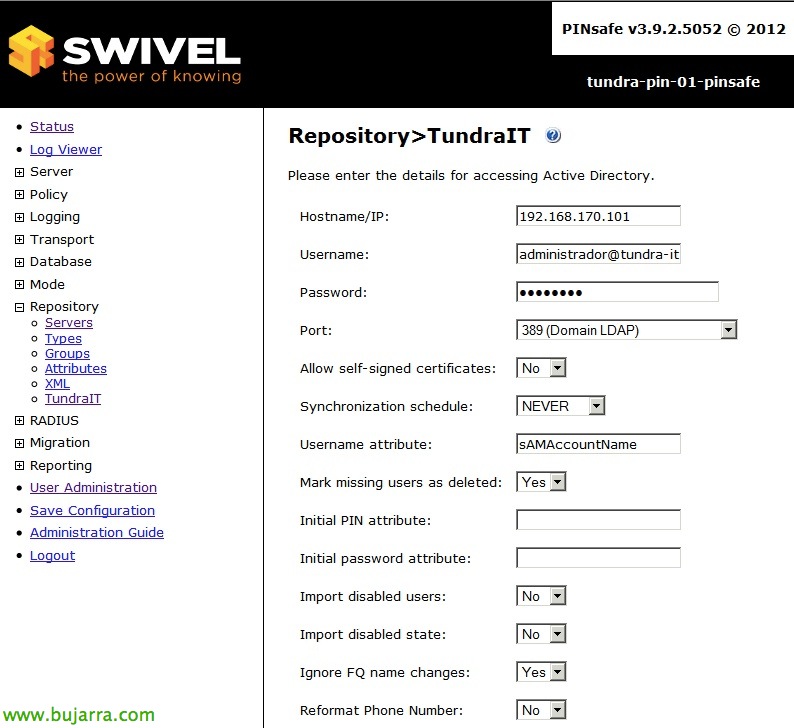
Lo configuramos desde “Repository” > “NOMBRE_REPO”. Indicaremos el ‘Username’ con el nombre de usuario con permisos de acceso a nuestro Directorio Activo, junto a su contraseña. Además indicaremos en ‘Hostname/IP’ la IP de un controlador de dominio y en el puerto estableceremos LDAP o LDAPS, en función de lo que tengamos.

In “Repository” > “Groups” rellenamos las rutas LDAP de los grupos de usuario y administradores que hemos creado anteriormente en nuestro repositorio del Directorio Activo, just as if we are interested in, we would set the group name, e.g:
cn=PINSafeUsers, ou=Groups, ou=Tundra IT, dc=tundra-it, dc=local
cn=PINSafeAdmins, ou=Groups, ou=Tundra IT, dc=tundra-it, dc=local

In “Transport” > “General” > “SMTP” we configure email transport for our users, so that emails arrive correctly and with what, for this we will indicate the attribute where the user's email address is defined (usually 'email'’ in 'Destination attribute'), in addition, we will indicate which group of users has permission to receive keys ('Strings Repository Group') or alerts ('Alert Repository Group').

We check that it works from “User Administration” > We change the repository to the AD one & Pressed “User Sync” to confirm that we bring in our users.
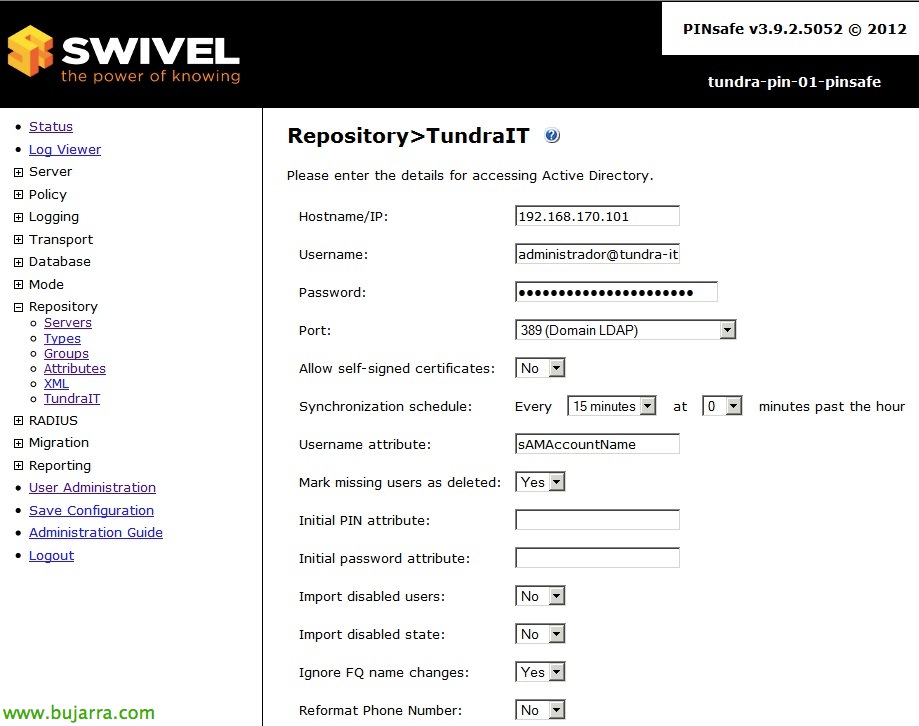
If it's correct, we change the synchronization time with LDAP from “Repository” > “REPOSITORY_AD” > “Synchronization schedule” to the time we are interested in, in my case it's enough with 15 minutes.

We configure in “Server” > “Single Channel” our first authentication method, which will be with the Security Code or Security String box, we will allow users to request it by entering their username in the user text field when they log in (‘Allow session request by username’ = ‘Yes’), if we want the key to be independent of the username entered, to prevent anyone from guessing usernames, in Image file we can select a different image instead of the default one, as well as indicate if we also want the use of uppercase/lowercase letters with the numbers to make the OTC more robust. In addition, in “Image Rendering” we will be able to make the image dynamic and move the content of the Security String.

And well, once the users are provisioned, they will receive an email indicating their default PIN, from us “User Administration” we will be able to perform basic actions such as creating a new PIN for the users, resend it, unlock the account…