Using Events in VMware View 4.6

En caso de necesitar una gestión de eventos en el entorno VMware View 4.6 deberemos configurarlo de forma manual, con el fin de almacenar los LOG’s de nuestro entorno VDI y poder obtener más información en caso que tengamos problemas. En este breve documento configuraremos los eventos de VMware View 4.6 contra una base de datos SQL Server.

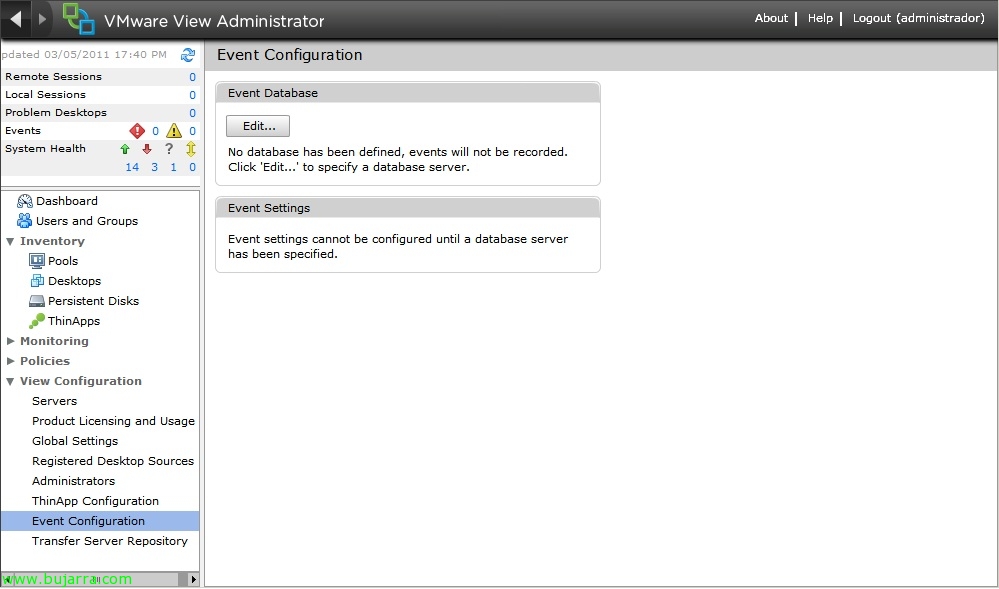
To do this,, deberemos habilitar y configurarlo desde VMware View Administrator > “View Configuration” > “Event Configuration”. En Event Database > “Edit…”

In “Database server” indicamos el nombre del servidor de BD así como su instancia, indicamos el tipo de servidor de BD (SQL Server u Oracle), el puerto de conexión, nombre de base de datos, user & contraseña de un usuario con privilegios y el prefijo para el nombre de las tablas. “OK”,
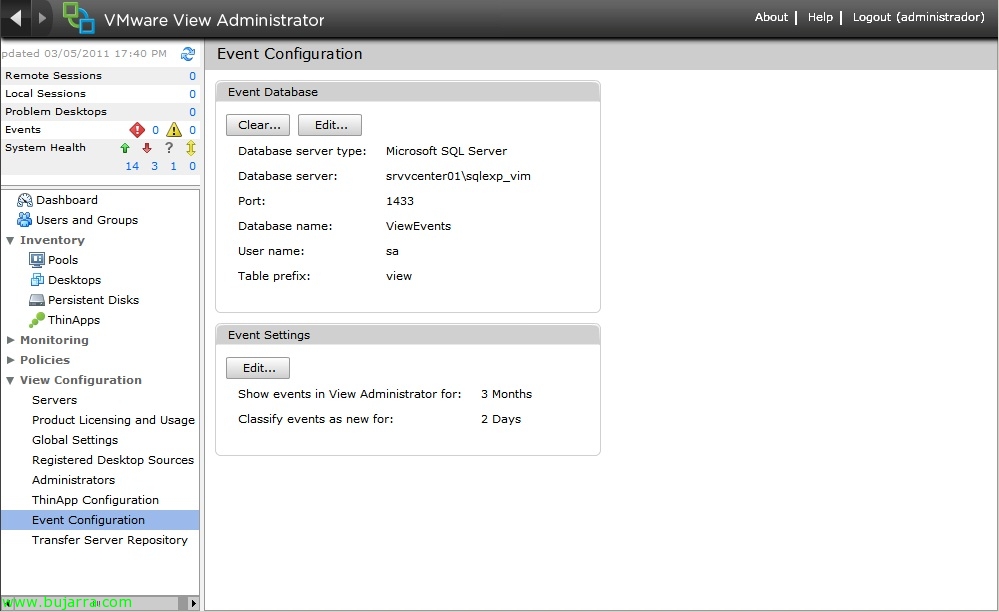
We will be able to configure the times to view incidents within the event views,

Now we will be able to have information about what is happening in our VMware View infrastructure 4.6 since for any element we will have the tab “Events” and in it the records of each task will already appear.