Installing and Configuring VMware View Connection Server Security Server 4

If we want to give external access to our organization in a completely secure manner, it is necessary to install the VMware View Security Server, this server will encapsulate all traffic via SSL from the client machine to the desktop, using RDP, Of course. PCoIP will not work over the Internet, as it would require mapping the 50002 tcp of each desktop; ideal for a WAN or VPN connection, but not for connecting over the Internet. So assuming that, we show what the installation and configuration of the DMZ server is. This server MUST not belong to a domain.
Desde internet se debe acceder a este servidor sólo mediante el 443tcp. Y de este servidor se debe acceder a los Connection Server mediante los puertos: 8009TCP (AJAP13 – Apache JServ Protocol version 1.3), 4001TCP (JMS – Java Message Service),

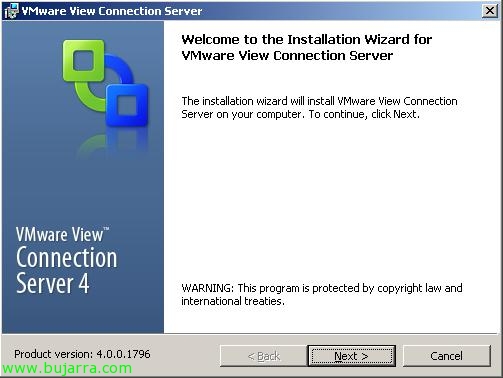
Comenzamos con el asistente de instalación de VMware View Connection Server, “Next” Getting Started,

We accept the license agreement, “I accept the terms in the license agreement” & “Next”,

Select the installation path, by default will be: “%ProgramFiles%VMwareVMware ViewServer”, “Next”,

Tenemos que seleccionar “Security Server” y con esto indicamos que es el servidor de la zona DMZ. “Next”,

Introducimos el nombre de un servidor VMWare View Connection Server, o un alias que tengamos en el DNS que apunte a los Connection Server de nuestra organización. “Next”,

…

“Finish” para configurar la conexión.

We open the VMware View management console, Let's go to the part of “Configuration” and in “Security Servers” Click on “Add…”,

We enter the name of the VMware View Security Server (just the name) and the external address to which clients will connect (https format://server:port). “OK”,

Select “Create Configuration File”, to generate a configuration file that the Security Server will need.
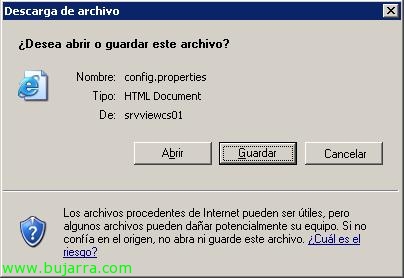
“Save”,

We call it config.properties and it should go in “%ProgramFiles%VMwareVMware ViewServersslgatewayconf” of the Security Server.

Once ready, We restart the service “VMware View Security Server” and our clients will now be able to connect securely via HTTPS.