Using the Security Setup Wizard in Windows 2003

El SP1 de Microsoft Windows 2003 It brings a new tool that will help us when securing and configuring our server in security issues. It is a wizard that helps us secure our server by blocking certain parts of the registry, disabling unnecessary services, removing MS applications that are not used and of course it would enable Microsoft's firewall and close ports that are not needed.

Using Microsoft Virtual PC

This free Microsoft product is similar to certain VMware products such as Workstation or Player, is software for creating virtual machines on physical equipment. Logically Using Physical Host Resources, Virtualizes hardware so that it can be used by physical hosts, and we can also customize this hardware.

Using Microsoft Virtual Server

Microsoft's Virtual Server is a tool for emulating an operating system, unlike their enemies (including the VMWare Workstation) You don't have a console, rather, an administration is made via the web, normally to the port 80 (if not in use) and if not to 1024. The advantage of this software is that it is installed, for example, on a server dedicated to it and we have the virtual machines available from any PC; we would connect from our PCs via the web and load the virtual machines, the resources are eaten by the server but it shows us the virtual machine on the screen as if it were local., we could have a Linux, a Windows running on our PC/laptop and the image file would be on the server eating up the memory/processor…

Configuring RPC over HTTP or HTTPS in Exchange 2003 – Connecting Outlook from the outside

This procedure is very useful and safe, serves to enable our Outlook clients 2003 can connect to our MS Exchange server 2003 via web, using the 80 or the 443 (In Safe Mode) using Outlook from the Internet, from your home/hotel/office… so you don't have to use OWA. To do this, we will need to install an AC, One component, Registry Modifications and Nothing More.

RIS Installation and Configuration – Remote Installation Service – Remote Installation Service

RIS is a utility that MS Windows brings 2003 and serves to distribute operating systems over the LAN, so you don't have to travel with the S.O's CDs. Over there, if we buy a new PC for the office, if you put it to boot by network card it would start to install for example MS Windows XP with SP2, This is the example I will make. Of course,, The installation is clean and without any other software, That's why we have active directory policies for distributing software – HERE. And if what we want is to distribute it with applications and so on, we should go to commercial products like Symantec Ghost. More RIS configurations are explained below. – HERE; and how to use RIS with unattended installation files (Unattended Setup Answer File) – HERE. And if you don't know what unattended installation files are, Take a […]

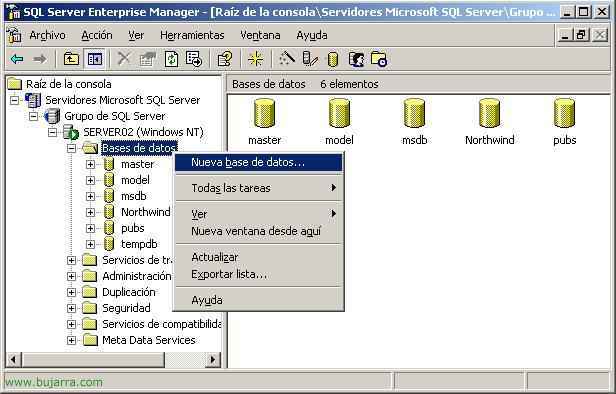
Replicating SQL Server databases 2000

This procedure explains how to replicate a SQL Server database from one server to another continuously. Used in the case of having an online backup of the server in case of a crash; and users can work against the other server without making much change (for example with a simple change of alias in the DNS's).

Setting up a RAID5 on Windows 2003

This type of arrangement requires a minimum of 3 Disks, These are divided into stripes (how the RAID0) the difference is that of the 3 Stripes one is used for parity and only the other two are used to store data. This increases RAID speed-0, but with the redundancy that parity allows … in practice the array is immune to failures of a single disk but not as much space is wasted as in the case of a RAID 0+1.

Setting up a RAID1 on Windows 2003

It is also known as “Mirror disc” and consists of the Operating System recording the same data simultaneously on both discs, which provides greater reliability since if either of the two individual disks fails, The arrangement continues to operate without losing information, because it is essentially duplicated.