Citrix: Migrating the Access DB to SQL Express 2005

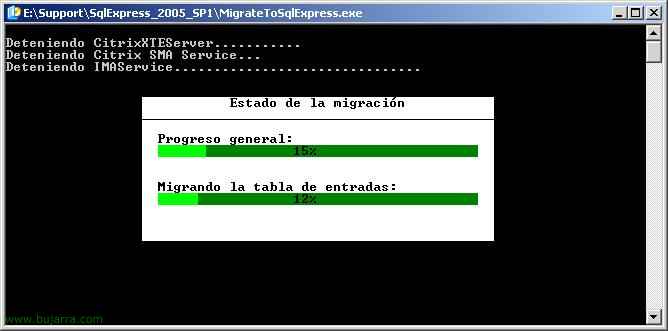
This document explains how to migrate our Citrix DB from an Access to a SQL Express 2005 in case we need it for whatever reason. The Citrix DB should never be created in an Access MDB DB, but if it is done and our organization grows or we want better performance or simply to migrate to another version of Citrix or migrate it from servers… This document explains all the necessary steps, It's pretty easy. First we will have to install MSDE on the server and then run a tool to migrate the Access DB to SQL.

Citrix: Migrar la BD Access a MSDE

This document explains how to migrate our Citrix database from an Access to an MSDE in case we need it for whatever reason. The Citrix DB should never be created in an Access MDB DB, but if it is done and our organization grows or we want better performance or simply to migrate to another version of Citrix or migrate it from servers… This document explains all the necessary steps, It's pretty easy. First we will have to install MSDE on the server and then run a tool to migrate the Access DB to SQL.

Upgrading Presentation Server 4.0 a 4.5 on the server itself

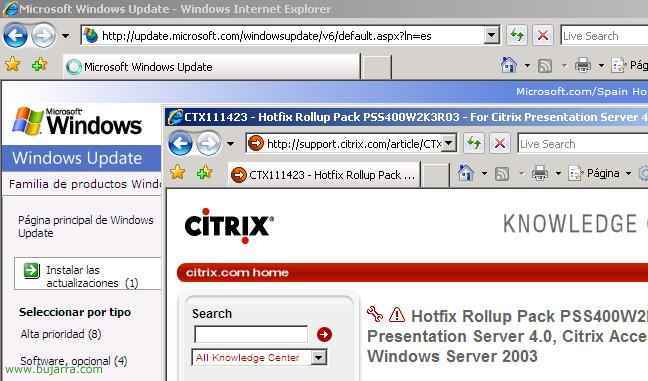
This procedure explains how to upgrade a single Citrix server that is running 4.0 to the version 4.5. Simply what we will have to do is update the entire environment 4.0 to the 4.5, we need this server to already have a database in MSDE 2000 (otherwise, see how to migrate from Access to MSDE – HERE). The steps would be as follows, first, Logically run with the latest versions: do a Windows Update on the server and keep it updated; and logically also with Citrix patches, have the Citrix server updated with the latest Rollups/patches. After that, we'll update all Citrix components as normal, even Presentation Server, We have to migrate everything to the environment 4.5, as if it were a normal installation (HERE) and tell us that we're upgrading, Confirm, and at the end of the entire update we will continue to receive IMA errors that do not start the DB, it's logically because he's running in […]

Presentation Server Migration 4.0 a 4.5 to different server

This procedure explains how to update a Citrix community, let's say we have one or more servers with Presentation Server 4.0 and we want to migrate this community to new servers to retire the old servers, This would be the procedure. Because if you want to have a mixed community with both versions, you could, they would simply have to join the existing community. In this case we are going to retire the old servers, you will have to move the DB in case it is an Access or MSDE to another server with SQL version 2005; if the database is on a SQL server external to these Presentation Servers, It could stay where it is. In this procedure we will migrate the community to other servers with the 4.5 and move the database from MSDE to a SQL 2005. Logically, all its functions will have to be transferred, The Applications, The Services […]

Upgrading Citrix Presentation Server 3.0 a 4.5 on the server itself

This procedure explains how to upgrade a single Citrix server that is running 3.0 to the version 4.5. Simply what we will have to do is update the entire environment 3.0 to the 4.5, we need this server to already have a database in MSDE 2000 (otherwise, see how to migrate from Access to MSDE – HERE). The steps would be as follows, first, Logically run with the latest versions: do a Windows Update on the server and keep it updated; and logically also with Citrix patches, have the Citrix server updated with the latest Rollups/patches. After that, we'll update all Citrix components as normal, even Presentation Server, We have to migrate everything to the environment 4.5, as if it were a normal installation (HERE) and tell us that we're upgrading, Confirm, and at the end of the entire update we will continue to receive IMA errors that do not start the DB, it's logically because he's running in […]

Connecting to Active Directory with Citrix Access Gateway Using RADIUS

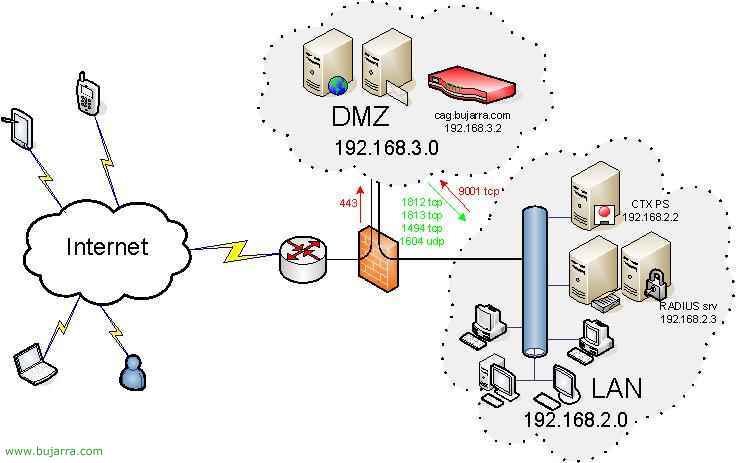
If instead of using local users with Citrix Access Gateway what we want is to take advantage of our Windows Active Directory, our domain users to validate us when connecting from abroad, we must install the IAS service on a server in our network (Internet Authentication Service), configure it and indicate in the CAG that it is so. Be careful, if the CAG is in the DMZ, we need to map the RADIUS ports to the IAS server, What are the 1812 and the 1813, TCP both.

Installing and Configuring the Access Client for CAG Connection – Citrix Access Gateway

This document briefly explains how a user from the Internet would connect to our network or DMZ servers using the CAG Client. First of all, the user needs to connect to the internet, if it is the first time you are going to connect you need to download the VPN client called Citrix Secure Access Client, but if you have already connected more times, you would only have to run the shortcut that you will have on the desktop.

Rename Exchange Mailbox Folders

If we have an MS Exchange installed 2000 or 2003 and we want to rename the language of mailboxes, for example, call the INBOX folder Inbox and so on for all users with their respective folders, We must follow the following procedure.