vSphere Storage Appliance – VSA

vSphere 5 vSphere Storage Appliance (VSA), a solution designed for small businesses that do not have the budget to purchase a storage array and want to have high availability in terms of storage or have features such as HA or VMotion, DRS… Thanks to this small appliance that runs on each host and through the VSA Manager, we will have the local datastores replicated between the ESXi hosts.

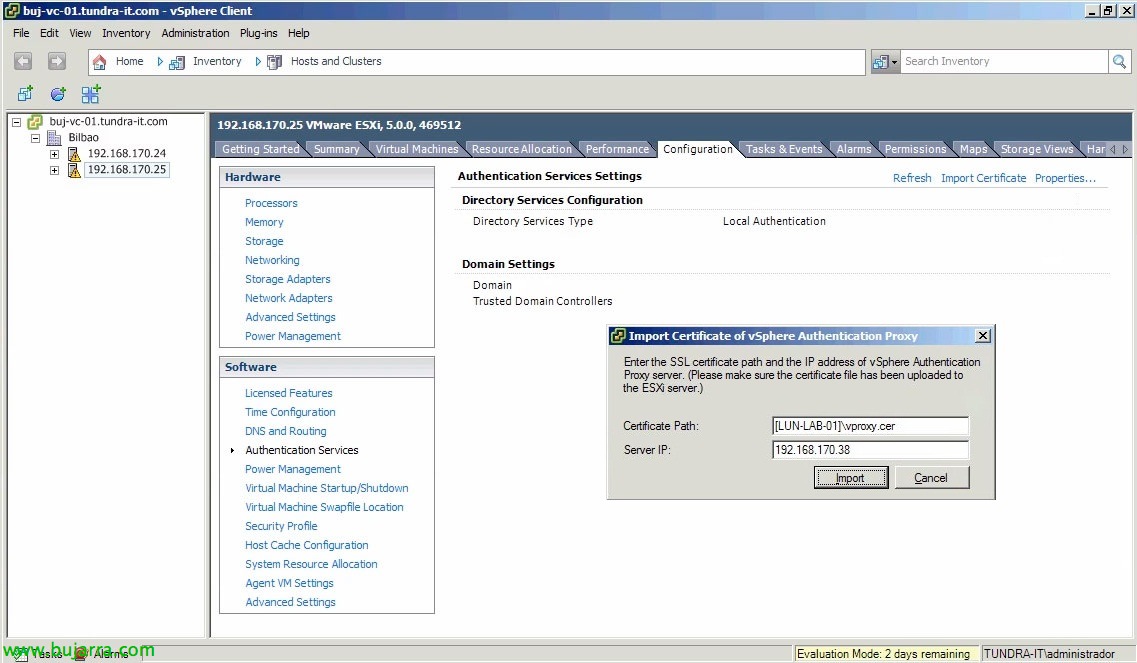
VMware vSphere Authentication Proxy

Already in a previous document of the version 4.1 we saw as a novelty that we could include our ESXi hosts in an Active Directory to authenticate directly with centralized accounts; one of the new features of vSphere 5 is the possibility of deploying an intermediate proxy between the hosts and our domain. All this to help in the deployment with Auto Deploy not to put users with passwords in configuration files, we will also be able to use it with hosts not deployed with Auto Deploy!

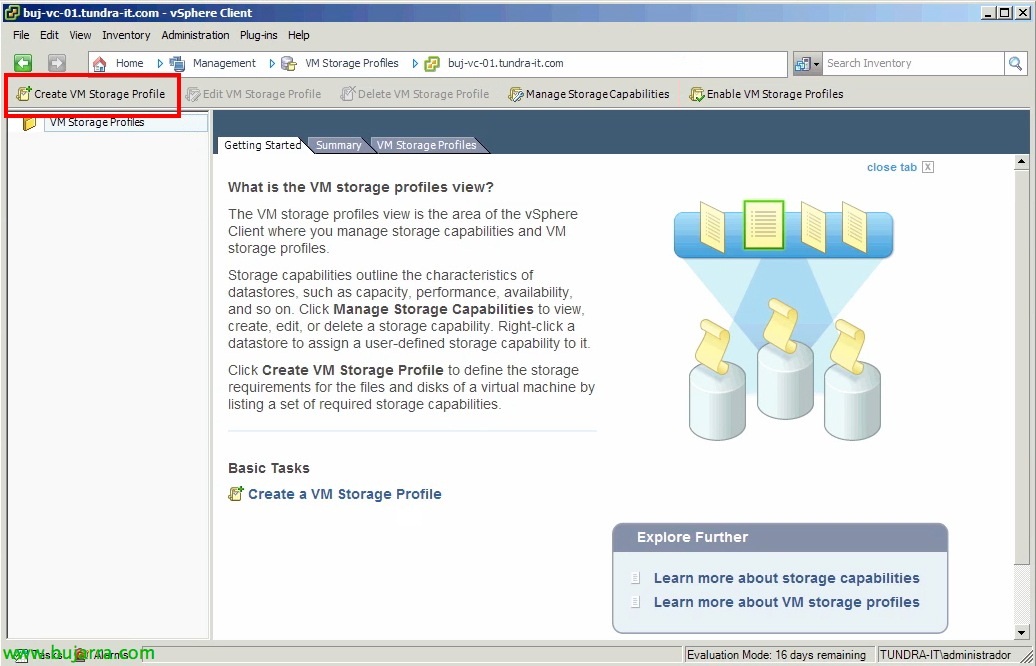
Using VM Storage Profiles – Profile-Driven Storage

One of VMware's new storage features in vSphere 5 en Profile-Driven Storage, By configuring a series of profiles and labels we can define the characteristics of our datastores. We will be able to define our warehouses according to their performance, availability, value… to later store the virtual machines in them depending on the quality of service that we want/must offer. When creating a VC, migrating it from datastore or cloning it, vCenter will show us the compatible datastores where we will store the VM, thus avoiding any human error,

Using Datastore Cluster on VMware vSphere 5

It is one of the new features of vSphere 5, It is a pool of datastores that will help us to manage the datastores together, always obtaining the best result to locate a virtual machine and thus have a higher performance at the disk level since it will always offer us recommendations to choose the lightest datastore. It will also analyze and generate recommendations for moving virtual machines between the different datastores in the cluster.

Installing and Configuring VMware SRM 5 with SRA and reprotect

This document is presented as an extension of the previous one where we saw the complete installation and configuration of VMware vCenter Site Recovery Manager 5 (SRM 5) with vSphere Replication, In this other document, we'll look at configuring replication using the arrays (we will use HP Lefthands, supported by SRM 5), later we will see another new SRM 5 that after validating a test and performing a planned migration/disaster recovery to the backup data center we will end with a 'reprotect’ rearranging all the machines in the main data center as it was originally.

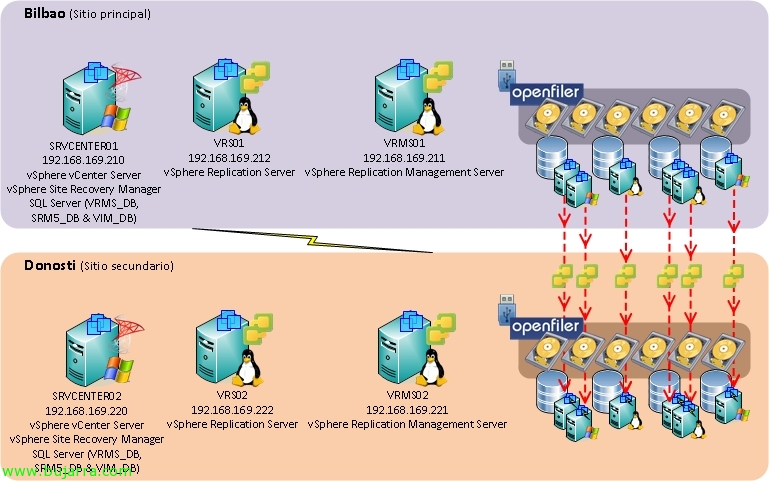
Install and configure vCenter Site Recovery Manager 5 (SRM 5) with vSphere Replication

In this document, we'll look at the complete installation and configuration of VMware vCenter Site Recovery Manager 5 (SRM 5) with one of its new features, vSphere Replication, which will allow us to replicate virtual machines between a primary and secondary data center, not at the array level but thanks to a virtual appliance from the virtualization layer. This replication, cheaper than a cockpit-level replication, since in addition, no SRM-compatible cabs required (using the Storage Replication Adapter – MRS), this replication will be at the block level thanks to CBT (Changed Block Tracking) and will allow us to have the DPC replicated with a maximum loss of 15 minutes!

VMware Project: Onyx

Onyx is an app (beta) that will allow us to obtain PowerCLI code to be able to use it later; is presented as a proxy between the VMware vSphere Client and the vCenter Server, monitors traffic passing between the two and converts it into PowerShell code, being able only with the movement of the mouse, generate our own scripts with the intention of automating tasks or to know a function/command in a simple way…