VMware ESXi Network Installation 5 using PXELINUX and configuration files

En este documento veremos cómo desplegar o realizar instalaciones de red de VMware ESXi 5 usando PXELINUX y archivos de configuración mediante PXE, utilizaremos un servidor DHCP que será el encargado del direccionamiento, un servidor TFTP para transmitir las imágenes mediante PXE, ficheros de configuración de los hosts (optional) en el arranque de los hosts, con esto conseguiremos de una forma automatizada disponer de tantos hosts ESXi como necesitemos de forma instantánea,
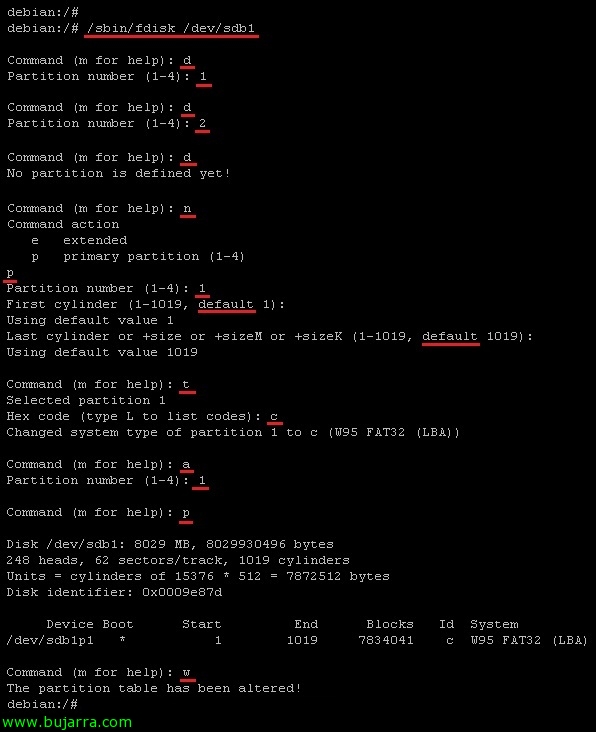
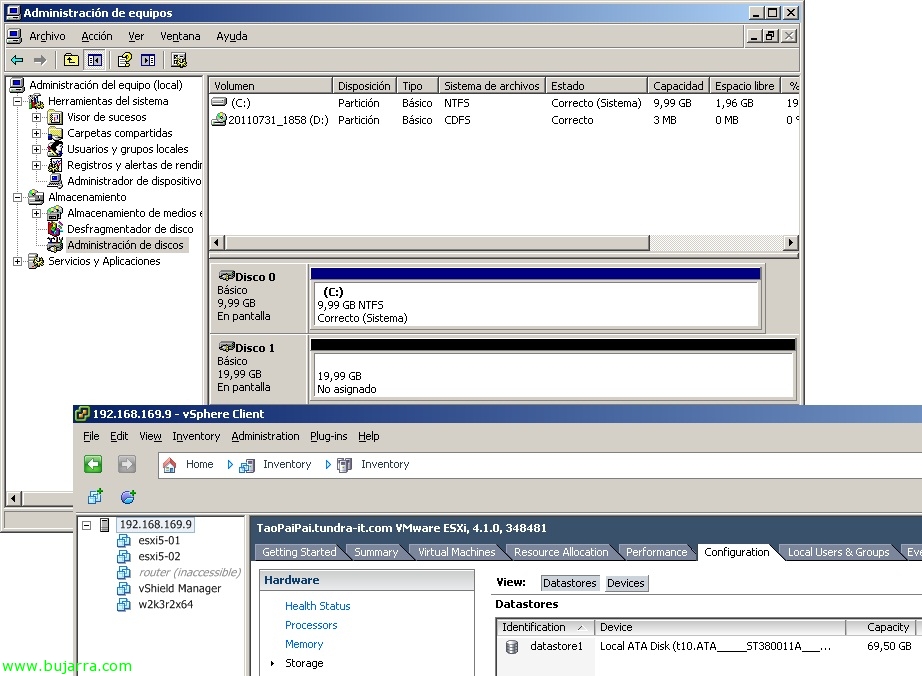
Recovering a Deleted VMFS Partition

In this document we will see how to recover the contents of a deleted VMFS partition, In this document we will simulate that an 'administrator’ has deleted a VMFS volume from the disk manager in Windows because it had the LUN presented to the vCenter server where they perform backups using VCB, I had it presented in writing mode and not only with reading, so it can be a good example 🙂

Virtualizing Android on VMware

A veces tenemos la necesidad de testear ciertas apps bajo sistemas operativos diseñados exclusivamente para dispositivos móviles, in this document we will see how we can run Android (the S.O. 'Now’ from Google) under a VMware virtual machine. This document is valid for both virtualizing Android under VMware ESXi and VMware WorkStation,

Backing up VMware ESXi configuration

Once our hosts have been configured, it is advisable to keep a backup copy of their configuration, an easy way to back up the entire configuration of an ESXi host is by using the VMware vMA appliance or by using the VMware vSphere CLI (vCLI). Once we have the backup, we can restore it if necessary in a simple way, we will also see another command to reset ESXi hosts to factory values.

Using VMware Compliance Checker

The past 19 April, VMware introduced VMware Compliance Checker, a free VMware tool (written in Java) that will help us verify the security of our VMware hosts (ESX or ESXi), recommended as one of the best practices to be carried out in our environment in order to secure or detect problems, obtaining a detailed report of the recommendations to be made on each host.

Using VMware Go

Today we can see on the Shavlik website that it has been acquired by VMware, so I present to you (for those who may not know) VMware Go, that it is a tool developed by both companies in collaboration, it is free and online, that allows limited management of our VMware virtual infrastructure, it is a tool designed for new and small clients who are entering the new world of VMware and want to start with simple management. This tool has its free version (which is what we will see in this document) and the paid VMware Go Pro version which will address the shortcomings of its free version.

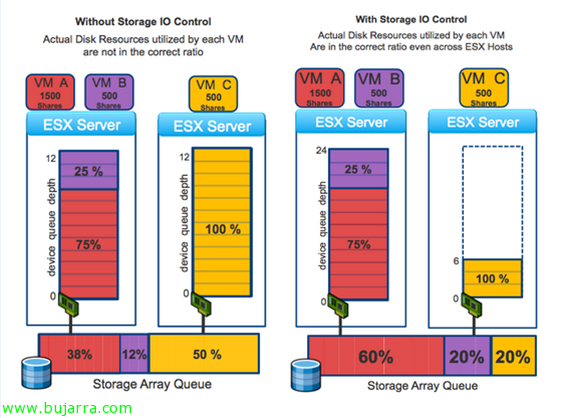
Using VMware Storage IO Control

One of the new features of vSphere 4.1 is VMware Storage IO Control (SIOC) that will allow us to improve disk performance when using resource allocations on virtual machines. In vSphere we can assign different priorities to a virtual machine at the CPU level, RAM and disk; as well as CPU and RAM are prioritized only by the host that runs them, on disk access (shared) prioritize it proportionally among the rest of the hosts. Requirements: vSphere 4.1 Enterprise Plus, a single vCenter will manage the warehouses, Supported for FC and iSCSI (no NFS or RDM/RAW), Multiple Extensions Not Supported.