Installing and Configuring XenClient Enterprise Synchronizer

This document shows how we will deploy the centralized Citrix XenClient solution, How we'll create virtual desktops and assign them to different users; as well as how we will integrate our XenClient devices and configure thanks to a series of directives. We will download XenClient Enterprise Synchronizer and install it on a Hyper-V server or in an appliance format for XenServer.

Installing Citrix XenClient Enterprise Engine 4.1

XenClient is one of the best solutions available today as a client hypervisor, where we will have a small layer of virtualization of the users' computers where they will run the virtual desktops that are assigned by their administrators. Thanks to this solution, administrators will also have centralized the S.O.. of customers, just as they had virtual servers until now.

Citrix XenApp 6.5 Mobility Pack

En el pasado Citrix Synergy de Barcelona presentaron Citrix XenApp 6.5 Mobility Pack, es una funcionalidad nueva que mejora la experiencia de las aplicaciones soportadas o escritorios bajo dispositivos móviles, detecta automaticamente cualquier dispositivo con Citrix Receiver en Android 3.0 o en iOS.

Citrix VDI in a Box

Last summer Citrix acquired the company Kaviza, which offers a quick and easy solution to provide a VDI environment in an SME. It provides us, through a single broker, the ability to have virtual desktops on demand (with Citrix HDX) to our users from a single image. In this document we will see the necessary steps to achieve this,

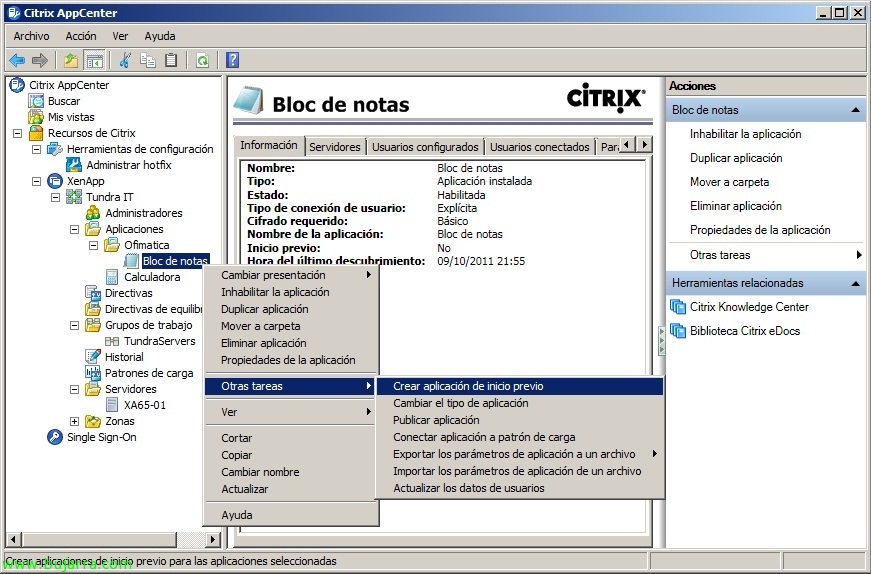
What's New in Citrix XenApp 6.5 – Session Pre-launch (Pre-start) & Session Linger (Persistent session)

Two of the new features of Citrix XenApp 6.5 is the use of Session Pre-launch or Pre-start, which allows us to automatically start an ICA session for our users in order to avoid that small delay when they open the first app, the other new feature is the configuration of Session Linger or Persistent Session, which will allow setting a time for the ICA session to close when the user closes their last app, thus avoiding having to wait again when they open another app.

Citrix GoldenGate Project

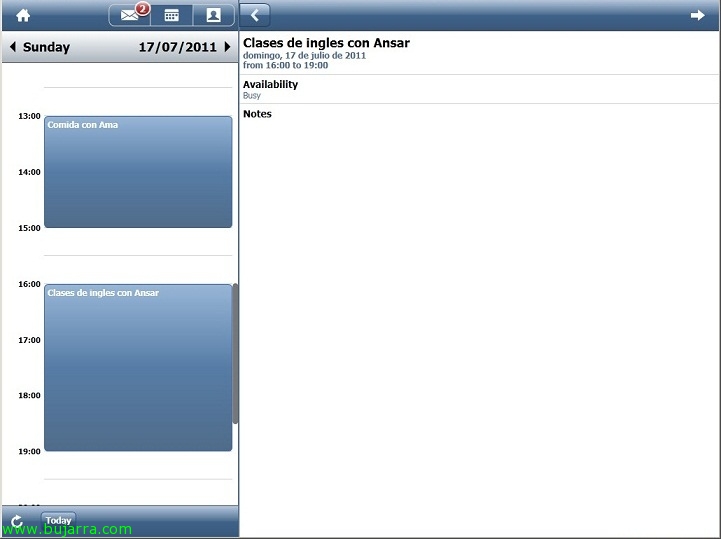
Today we see the first Citrix application designed exclusively for mobile devices, In the GoldenGate Project, they have developed an email client with the look of an app that will run securely and centrally on our XenApp servers and be displayed on Android, iPhone, iPad, tablets or any mobile device. This email client connects to the autodiscover service of our Exchange organization, authenticates the user and shows their email, their contacts and calendar. All of this with the idea of bringing Citrix closer to users 🙂

Xenapp Power and Capacity Management

Citrix XenApp's advanced power and capacity management enables significant savings in power consumption and improved load capacity of our XenApp servers. This will ensure that our XenApps can be turned off when they are not needed and turned on automatically when they are needed, thus getting more load on fewer servers. This feature is available for Enterprise editions & Platinum de Presentation Server 4.5 (with or without Feature Pack 1) Rollup Pack 3, XenApp 5 o XenApp 6.