Distributed File System – DFS + Replication – DFS-R

One of the new features brought by Microsoft Windows 2003 RC2 is the new console for configuring DFS and configuring replicas that now work perfectly. The most important thing is that you have to have the RC2 version on the servers that are going to have the DFS root. To upgrade to the RC2, just install the CD2 of the distribution, install the new components. And if you want to update the domain to the version 2003 RC2, you have to execute the ADPREP that also comes in CD2 (adprep /forestprep). This document explains the DFS for the Windows version 2000 or 2003 – HERE.
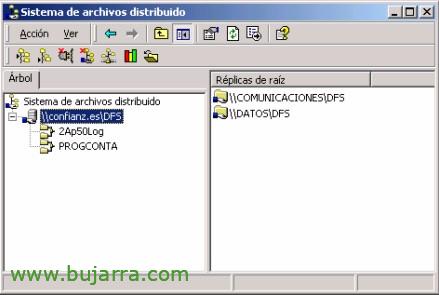
Distributed File System – DFS – Distributed File System

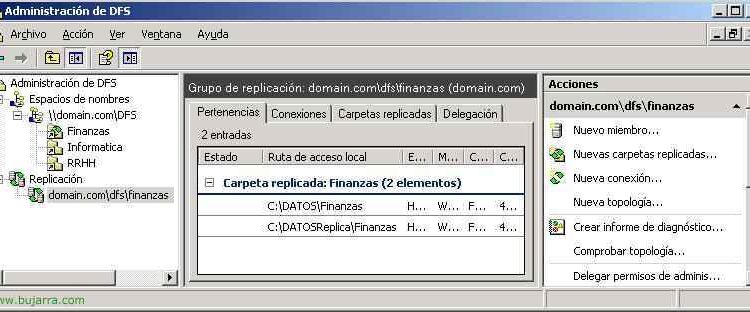
This service is basically for when a company has more than one server and they are file servers. Let's say that a company works all the employees against a server and it goes down, Until the server is lifted, it is impossible for employees to continue working. With DFS it is possible that if the file server goes down they can continue to work against another server. And employees shouldn't be working against the server this way: SERVERFOLDERocumento.eso sino: DOMAINFOLDERAocumento.eso. What this does is it will be working against one server and it will replicate the data against the other server. In the event of a failure of one server, work can continue on the other.

Installing and Using Dameware NT Utilities

Una de las mejores herramientas para gestionar una red, si eres un administrador y no te apetece dar paseos por la oficina… Read it! or… incluso con un poco de cuidado y cabeza se puede andar jugando (let's say hacking) to some internet PC… but… I haven't said anything!

Citrix Client Installation and Configuration 10.0

This procedure explains how to install and configure the current Citrix client, version 10. The procedure explains how to set up two 'clients'’ from Citrix, the “Program Neighborhood” and the “Program Neighborhood Agent”. – Installing the Citrix Client for Windows XP – HERE – Citrix Client Configuration “Program Neighborhood Agent” – HERE – Citrix Client Configuration “Program Neighborhood” – HERE

Installation, configuración y administración de Citrix XenServer

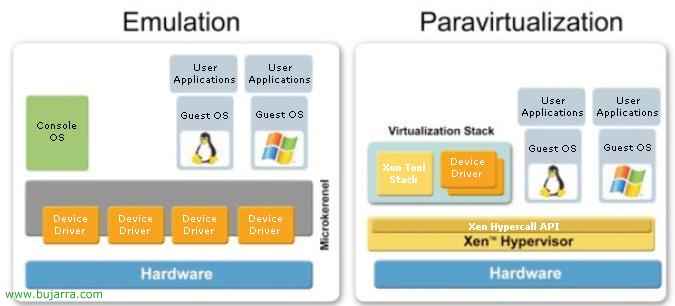
Citrix XenServer enables enterprises to make Windows and Linux virtual machines available quickly and easily, Manage machines and their related storage and networking resources from a single, easy-to-use management console. It is the product that will virtualize our company's operating systems from Citrix, whether for workstations or for server environments. XenServer is a product that Citrix acquired by buying part of XenSource (the leading company in virtualization through a technology called Xen hypervisor, Open Source Technology). So XenServer is the new Citrix product that uses virtualization with Xen hypervisor, is based on a thin layer of software called “Hypervisor”, is installed directly on the hardware or “BareMetal” and that separates hardware from virtual machines, The novelty of this technology is the use of paravirtualization that allows to obtain a high […]

Installation, Citrix XenDesktop Server Configuration and Management 2.0

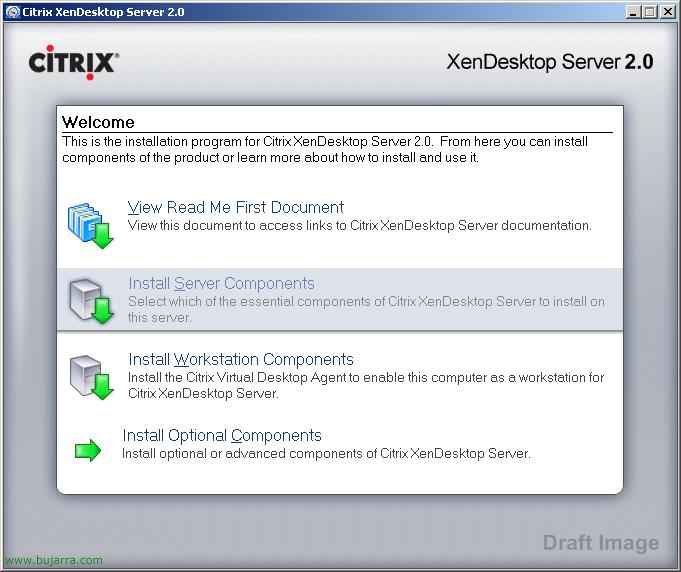
It is the new version of Citrix Desktop Server 1.0 – HERE, is Citrix's service for publishing desktops, instead of publishing applications we will use it to publish desktops, ideal for creating a virtual desktop or VDI infrastructure (Virtual Desktop Infrastructure). It also integrates seamlessly with Citrix Provisioning Server – HERE, it would be ideal to publish bulk desktops from XenDesktop using a Provisioning Server and storing the virtual machines on a XenServer – HERE, The perfect family.

Citrix WI and PNA Balancing with NLB: Configuring Web Interface and Program Neighborhood Agent Groups for Balancing with Network Load Balancing

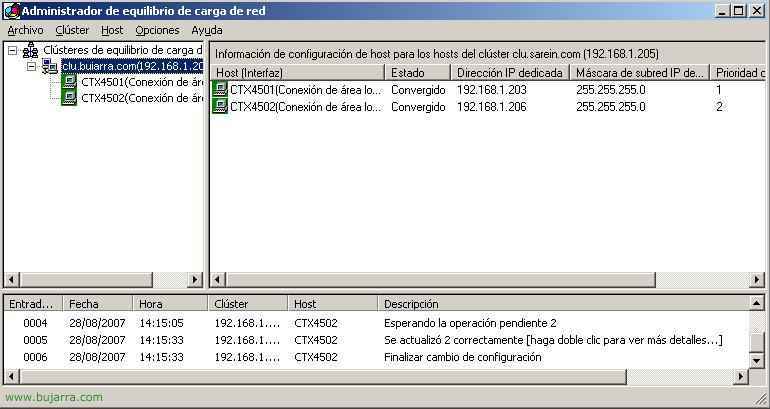
This document is quite useful if what we have is several servers with the Web Interface service or with the Program Neighborhood Agent and what we want is to balance between them, that is, if one of the servers goes down or we turn it off, we don't have to do anything on the users' PCs so that they continue to work normally. To do this, it will be necessary to configure it on servers that have W.I.. a cluster with NLB, I mean, create an IP address “virtual” to which clients will connect and this IP address “virtual” connect to hosts that are lifted, to one server or another; both for W.I. How to stop PNA.