Upgrade VMware ESXi 4.0 a 4.1 manually

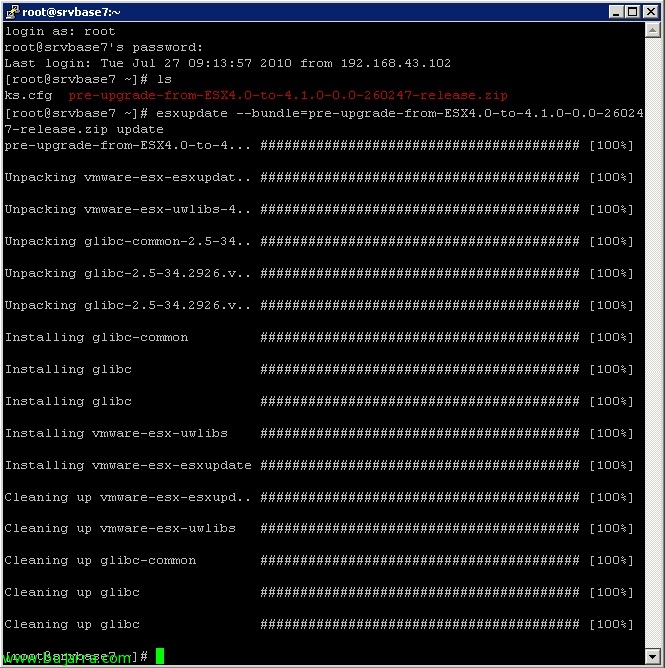
Algo típico de estos días es ir actualizando nuestros entornos virtuales a la versión 4.1 los que tengan VMware ESXi 4.0 y quieran migrarlos a VMware ESXi 4.1, en este documento vemos cómo actualizar los host que tengamos descentralizados de una forma rápida pero manual, lo realizaremos mediante VMware vSphere CLI (Command-Line Interface) y bajándonos el fichero a que nos permitirá dicha actualización.

Migrate VMware vCenter 4.0 32bit to VMware vCenter 4.1 (64bit) + Update Manager

In this document, we'll look at how we can upgrade our VMware vCenter environment 4.0 to VMware vCenter 4.1, eye! we will take into account that in the source installation we have the vCenter in a 32 bits and (As we know) vCenter 4.1 can only be installed in systems of 64 Bit, therefore we are going to have to migrate all the configuration of a server (x86) to another (x64). If the source server is already 64 bit there would be so much complication. Once we have updated vCenter and its components to the 4.1 we will now be able to update the ESX hosts(i) a 4.1.

Upgrading from VMware ESX 4.0 to ESX 4.1 manually

If we intend to upgrade our VMware ESX hosts 4.0 or VMware ESXi 4.0 to the new version of vSphere 4.1 manually, This is, without using VMware Update Manager we can do it in a simple way. We will only have to download a couple of files, copy them to the host and apply them to update the computer, Previously we will have shut down all the virtual machines that the host runs or we have moved them to other computers and put the computer in maintenance mode.

Free VMware Backups with ghettoVCB

ghettoVCB.sh is one of the few good scripts I know that can help us make copies of our VMware environment for free, This is, we will be able to make backups on both ESX and ESXi servers without a license! We can say that it behaves the same as the traditional VCB, Takes a snapshot of the virtual machine to be copied, It copies the virtual machine's files to a directory and then deletes the snapshot. ghettoVCB is a script that must be run on the VMware ESX server itself(i), we can schedule it to run using 'Cron’ or as in my case I will run it from a remote computer using the utility plink.exe. In addition, ghettoVCB stores backups in an ESX datastore(i), In this document we will see at the end how to make the backup in a Windows folder that we have thanks to NFS.

New VMware vSphere 4.1: Tech Support Mode

From the version 4.1 VMware vSphere, In both VMware ESX and ESXi there is a way to enable the host access mode called Tech Support Mode, We can enable access to the local console from the host itself (Local Tech Support) or enable remote access with SSH (Remote Tech Support), In addition, the good thing is that we can enable SSH access remotely from the VMware client itself.

Integrating Citrix XenDesktop 4 with VMware vSphere

Si queremos usar Citrix XenDesktop con un entorno virtual de VMware vSphere tendremos que realizar unas configuraciones extra, todo ello es para poder conectarnos desde el XenDesktop Delivery Controller a los escritorios virtuales de nuestro entorno vSphere y por lo tanto gestionado por la plataforma de virtualización de VMware, pudiendo usar VMware View Composer si nos interesase.

Consolidating snapshots on VMware

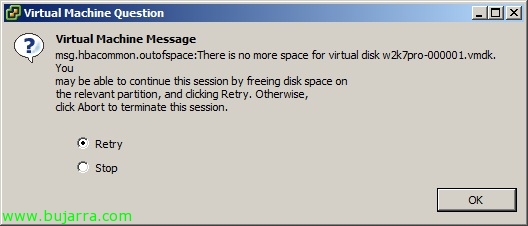
There are times when for one reason or another a VMware datastore fills up, it's usually because of 'fault’ from a snaphost that doesn't account for the maximum size of the disk definition. On certain occasions when the datastore is completely full, we will not even be able to delete the snapshot, Not even being able to start the machine; So we're lost. A 'solution'’ is to extend the LUN, then expand the datastore and that's it, We retried what we wanted. Sometimes this is not possible, or is it directly a ñapa; what we have to do is consolidate our disks with their snapshots on a temporary LUN and finally return everything to its original datastore without snapshots or so on, Here's the solution.

Using ThinStation to Reuse Computers as a Thin Client

I've been working with this kind of wonder for a long time, It is an ideal for companies, Incredible savings of all kinds, The use of thin client philosophy in an organization. In this document we will see a free project that allows us to use any computer and convert it into a light computer or thinclient. There are other Linux distributions that are also based on this philosophy, And this seems to me to be the best, since it has a lot of packages that we can add to the posts and people who contribute.

Exporting and Importing VMware View Settings 4

If we want, we can use VMware and Microsoft tools to be able to export the configuration of our VMware View installation 4 so that it can later be imported in the event of a disaster into a new Connection Server. Since all configuration is stored in an LDAP directory and each Connection Server has a local copy of the repository and replication.