VMware Fusion 3.0 – Installation, Configuration and functionalities.

Now that I've moved into the wonderful world of MAC, I'm in a position to explain a little about the VMware Fusion 3.0. This version of a few weeks of life, You can download it with a trial of 90 dias de la pagina web oficial de vmware. I will try to teach how to: · Download and install the app on your Mac. · Creating a WINDOWS Virtual Machine 7 (New acquisition of the Fusion). · Machine functionalities and visualization.
Configuring VMware Distributed Power Management or VMware DPM

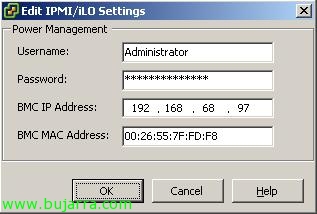
VMware Distributed Power Management is one of the real benefits of having a virtual environment for me, since with this, we will be able to reduce electricity consumption in our data center by a lot. VMware DPM Allows Unnecessary ESX Hosts to Be Powered Off, and when virtual machines are loaded and require more physical servers, these start automatically. All of this would be achieved in a DPM-enabled DRS cluster. The power consumption of a server is 15W when it is in Standby mode and depending on the server and its components it can vary approximately between 300W and 500W when it is booted. Starting from this, we can calculate how much we can save if we opt for VMware and set up a VMware DRS cluster + VMware DPM. Example:

Using VMware FT

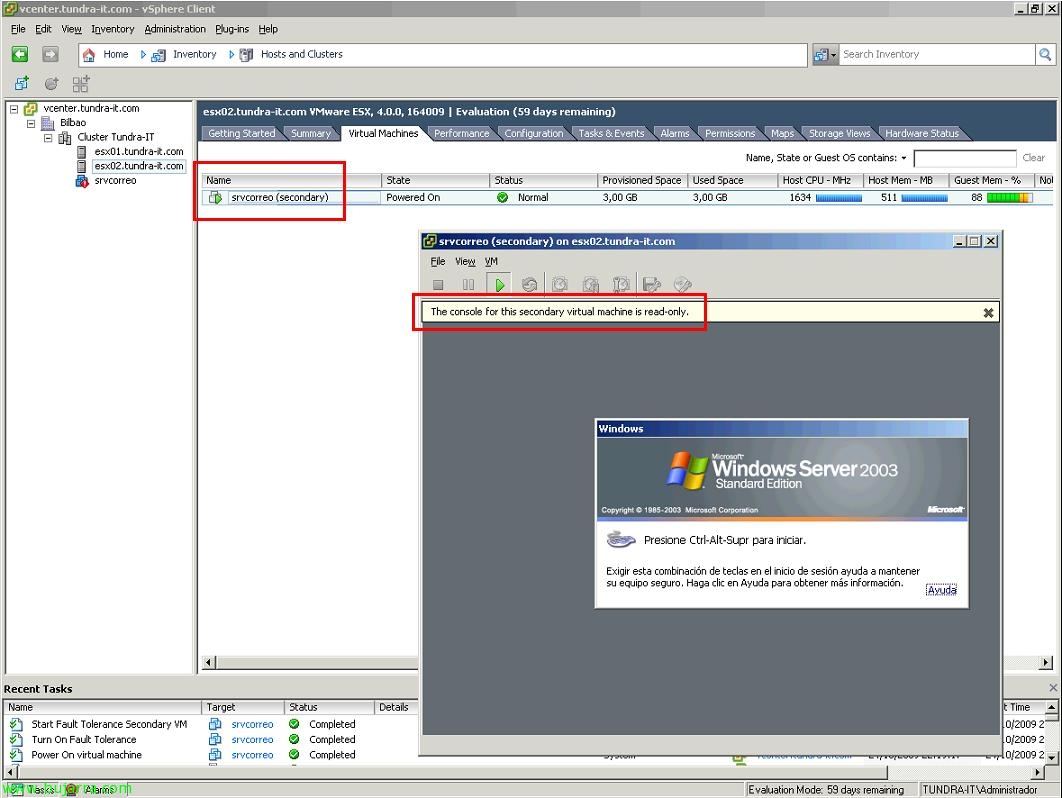
Another new feature of VMware vSphere 4 is the ability to use Fault Tolerance or FT. It is the ability to have real high availability, This is, with previous versions of VMware, we had DRS, that if a physical host went down, the virtual machines running on it, they run on another host, Foresaw a restart of the virtual machines. What VMware FT gives us is the possibility that virtual machines do not have to be restarted, and in case of ESX host crash with virtual machines, those that are protected with FT will continue to run on another host without loss of service.

Configuring Physical Appliances for Virtual Machines in VMware

One of the new features of VMware vSphere is the ability to give physical devices from hosts to virtual machines, This ensures that the driver of the virtual operating system, Directly access the physical device in question, The advantages of course is the increased performance of the device, as latencies are reduced. Latest version of VMware Tools required, it should also be taken into account that they can only be assigned 2 per virtual machine and 8 Per Host. And logically such a virtual machine will lose all the advantages of moving to other hosts, since we are assigning a physical device of a specific host. This is called VMDirectPath I/O.

Using Host Profile in VMware vSphere

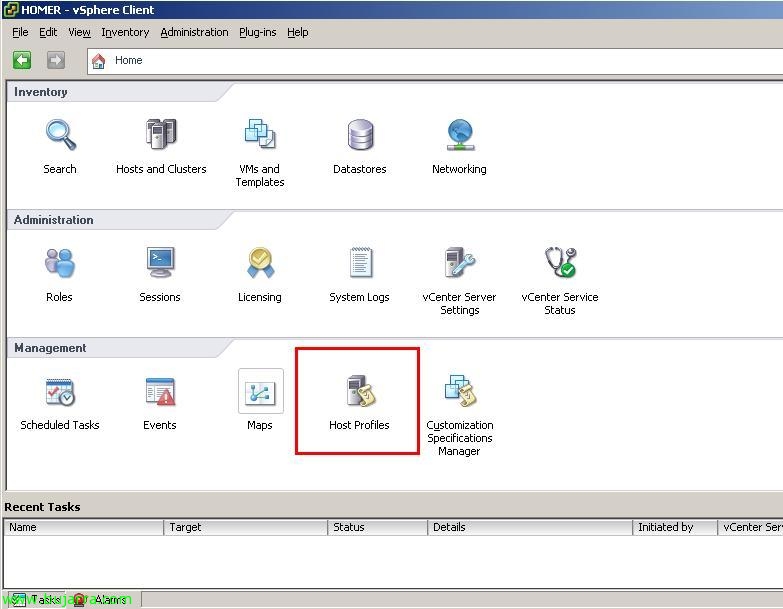
One way to help us in the configuration of our virtual environment is to rely on one of the new features that VMware vSphere brings 4, the ability to use already configured templates to apply to all our ESX hosts, or for when we add a new VMware ESX host to our virtual community, we can apply the same configurations that one of our hosts already has.. We can create a template from scratch by configuring everything manually or get said template from one of our servers already configured perfectly (being able to edit the profile if necessary), and then apply it to the rest of the hosts that do not meet the requirements that we indicate. This is called the VMware Host Profile.

Using Veeam Backup & Replication to make backups and replicas of our virtual environment

This Veeam product called Veeam Backup and Replication, offers us the possibility of both backups and replication of our VMware virtual environment, for both VMware Infrastructure 3 How to VMware vSphere 4 (VMware ESX or VMware ESXi, depending on the license purchased, that the product is paid for, but very cheap). It will allow us to make backups of the virtual machines that we indicate in the location that interests us, We will be able to keep as many copies of the same virtual machine as we are interested in, as Veeam will store them incrementally. Personally, what I like is the replication, since the backup is given to us by VCB or VMware Data Recovery, replication can be carried out in another storage array that we have and the replicated virtual machines will be optionally placed in the VMware inventory, just like backups, We can have so many replicas […]

Using VMware Data Recovery to Back Up VMware vSphere

VMware Releases New Virtual Machine Backup System Called VMware Data Recovery. It is a virtual appliance based on CentOs 5.2 which we will incorporate into our virtual environment, and with a plugin we can manage from the VMware client, as it integrates with our VMware vCenter Server. I have to tell you that I love how it works, is fully customizable, We can make backups of the virtual machines that we are interested in, We can indicate how many copies we want it to keep of each virtual machine and for how long; how many machines you keep for us for a specific time. The best thing is the technology you use to make backups called deduplication, This will prevent duplicate copies of virtual machines, but in the next copy it will only copy the differences with the complete copy, This is, an incremental copy! We will be able to restore the entire virtual machine, […]

Migrating VMware VI3 Virtual Network Environment to VMware vSphere with Distributed Switches

Well, once we have our entire virtual environment already migrated to the new version of VMWare vSphere 4.0, all servers running under VMware ESX 4.0 and our VMware vCenter Server as well, We will be able to enjoy its advantages, One of them is the new switch environment, called Distributed Switches or vNetwork Distributed Switches. With this we will achieve comfort when managing network environments, Much simpler, Change the way switches are configured, No more configuring a switch or virtual network for each host, otherwise, is a global environment, everything is done at the vCenter Server level and will apply to all of our hosts.

Migrate VMware ESX 3.x to VMware ESX 4.0 manually

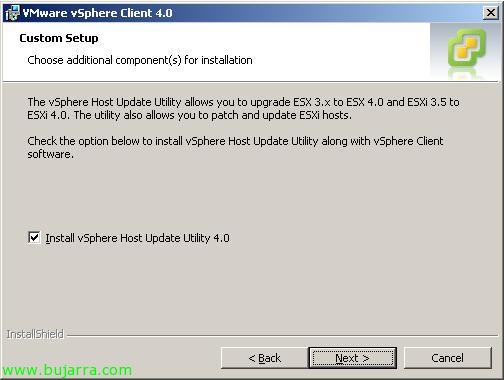
This document shows how to migrate an ESX host from the VMware ESX release 3.5 to VMware ESX 4.0, but it is valid for any ESX 3.x, It is designed for small environments, of one or two host's, but it would not make sense since it is a manual update process, without the ability to schedule the task or perform more than one simultaneous migration or by specifying a migration order for our hosts.